Drive-Thru Digital Menu Readability: A Practical Design Guide
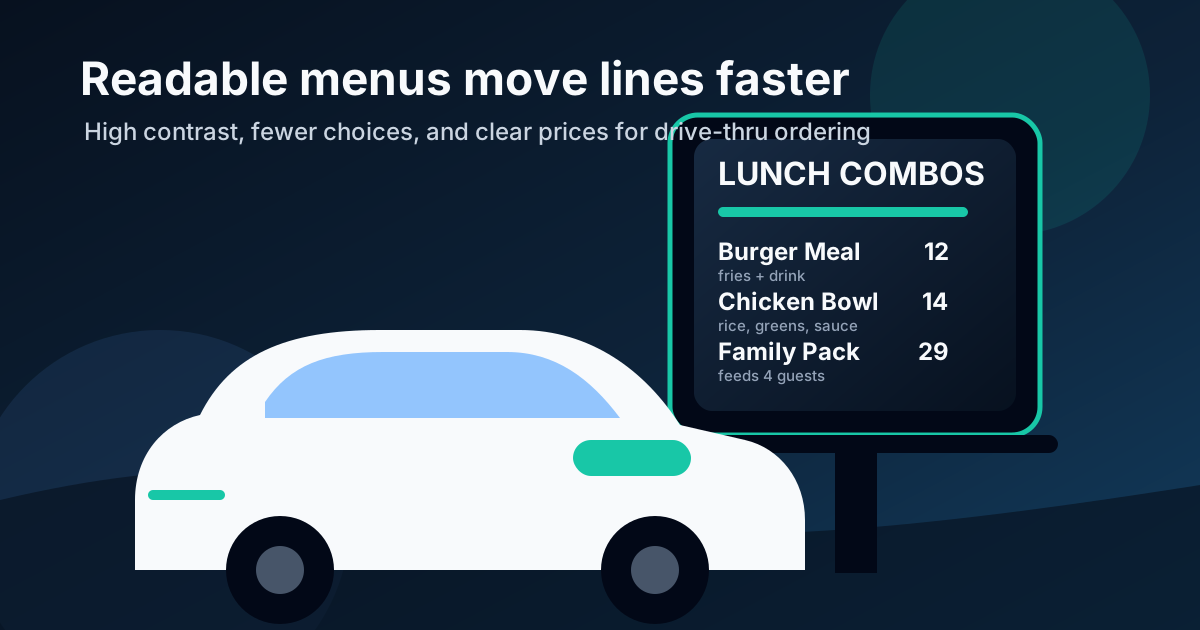
A drive-thru menu has a harder job than almost any other restaurant sign. A guest is sitting in a car, possibly in sunlight, rain, glare, or darkness. They may be ten to twenty feet from the screen. They are also under time pressure because a line of cars is behind them. If the menu is crowded, low contrast, or too clever for its own good, the customer slows down, asks more questions, skips add-ons, or orders the same safe item every time.
Good drive-thru digital menu design is not about cramming every product onto the brightest possible screen. It is about helping people make confident decisions quickly. The best boards reduce friction, guide attention to profitable choices, and make the order feel simple before the speaker ever turns on.
Design for distance first
The biggest mistake is designing the menu on a laptop and judging it from two feet away. Drive-thru guests do not see the board that way. They see it from a seated position, through a windshield, often at an angle. A layout that looks sharp in a browser can become unreadable in the actual lane.
Use a distance test before approving any design. Stand where the driver actually stops and check the board with normal daylight conditions. The item name, core description, and price should be readable without squinting. If a guest has to lean forward to read the menu, the typography is too small or the layout is doing too much.
Use fewer choices on the main board
Operators often want every item visible because they are afraid a hidden item will not sell. In practice, showing too many choices can slow the entire line and reduce attachment sales. A customer who is overwhelmed usually retreats to a familiar item and ignores upgrades, sides, drinks, desserts, and limited-time offers.
The main drive-thru board should focus on the decisions most guests need to make quickly. Group items by ordering behavior, not by internal kitchen categories. For example, a burger restaurant might use burgers, chicken, family meals, sides, drinks, and featured combos. A coffee shop might use hot coffee, cold drinks, breakfast, pastries, and seasonal drinks. Keep the full long-tail menu available through staff prompts or a QR code, but do not force every detail onto the primary board.
Make combo architecture obvious
Combos are where readability and revenue meet. If the guest cannot instantly understand what comes with the meal, they may order the entree only or ask the cashier to explain. Both outcomes are avoidable. A clear combo layout should answer three questions fast: what is the main item, what is included, and what does it cost?
Use consistent naming and placement. If every combo includes a side and drink, state it once near the section title. Then each menu item can stay short. Avoid tiny footnotes that explain required modifiers, upcharges, or exclusions. If the upcharge matters, show it near the choice. If the rule is too complicated to display clearly, the offer may be too complicated for the drive-thru.
Prioritize contrast over decoration
Drive-thru screens fight glare during the day and darkness at night. High contrast is not optional. Light text on a dark background often works well, but the exact colors need testing on the installed display. Thin gray text, low contrast brand colors, and busy food photo backgrounds can all hurt readability.
Brand style still matters, but the menu should never sacrifice legibility for decoration. Use brand colors for section dividers, calls to action, or highlights. Keep item names and prices in a simple high-contrast treatment. If a food photo sits behind text, add a dark overlay or move the text into a clean panel. The goal is not to win a design award. The goal is to help a hungry person order without friction.
Put prices where people expect them
There are many pricing psychology tricks, but drive-thru menus need clarity first. Customers should not have to hunt for the price or match a price column to a distant item name. Place each price close to the item it belongs to, with enough spacing that there is no confusion.
For upgrades, keep the language short: add bacon 2, make it large 1.50, add a drink 2. Avoid long paragraphs and dense disclaimer blocks. If a discount or bundle is the reason to choose the item, make the savings obvious with a short label such as best value or feeds 4. Keep labels honest and useful. Too many badges make every item look equally important.
Use motion sparingly
Digital menus make motion possible, but motion is not always helpful in a drive-thru lane. Fast animations, rotating panels, and disappearing prices can frustrate guests who are trying to read quickly. If content rotates, the cycle should be slow enough that no one loses their place while ordering.
Motion works best for small attention cues: a gentle highlight on a seasonal drink, a short transition between dayparts, or a featured combo panel that does not interrupt the core menu. Never animate the whole menu just because the screen can do it. In a drive-thru, stability is part of usability.
Plan separate daypart layouts
Breakfast, lunch, dinner, late night, and happy hour often need different levels of detail. A single all-day board becomes crowded because it tries to solve every scenario at once. Digital menus are useful because they can show the right layout at the right time.
Instead of hiding breakfast in a corner after 11 AM or leaving lunch combos visible during breakfast, build separate daypart versions. Each version can have fewer categories, larger type, and more relevant upsells. The customer sees what they can actually order now, which reduces confusion and staff corrections.
Design for operational reality
A readable menu still fails if it promotes items the kitchen cannot execute during rush. Before featuring a high-margin item, ask whether prep speed, inventory, packaging, and staff training can support it. If an item causes bottlenecks, it may not belong as the hero offer during peak drive-thru hours.
Connect menu design decisions to operations. Feature items that are profitable, quick to make, reliable to stock, and easy to explain. If an item is seasonal or limited, make the end date clear internally and schedule the menu update in advance. Nothing makes a menu feel sloppy faster than promoting an item that is already unavailable.
Measure line speed and attachment rate
You do not need complicated analytics to know whether the menu is working. Track order time, average ticket, and attachment rate before and after a redesign. Attachment rate is especially useful because it shows whether the board is helping guests add drinks, sides, desserts, upgrades, or bundles.
Review the results by daypart. A lunch layout might improve speed but miss drink attachments. A dinner layout might sell family meals but crowd out desserts. Treat the menu as a working sales tool, not a one-time graphic. Small improvements compound when hundreds of cars use the lane every day.
The bottom line
Drive-thru readability is customer experience, operations, and menu engineering in one place. Clear type, fewer choices, obvious combos, strong contrast, stable content, and daypart-specific layouts help guests order faster and help restaurants sell more intentionally.
If your drive-thru board looks good up close but causes hesitation in the lane, start with the distance test. Remove clutter, enlarge the most important decisions, and make the profitable next step obvious. A better menu does not need to shout. It needs to be readable when the customer is ready to buy.
Need a clearer digital menu layout?
Zenith Digital Menus designs, installs, and updates restaurant menu screens so drive-thru and counter-service menus stay readable, current, and easy to sell from.
Get a free consultation or call 916-960-3519.