Daypart Digital Menu Planning: Breakfast, Lunch, Dinner, and Late Night
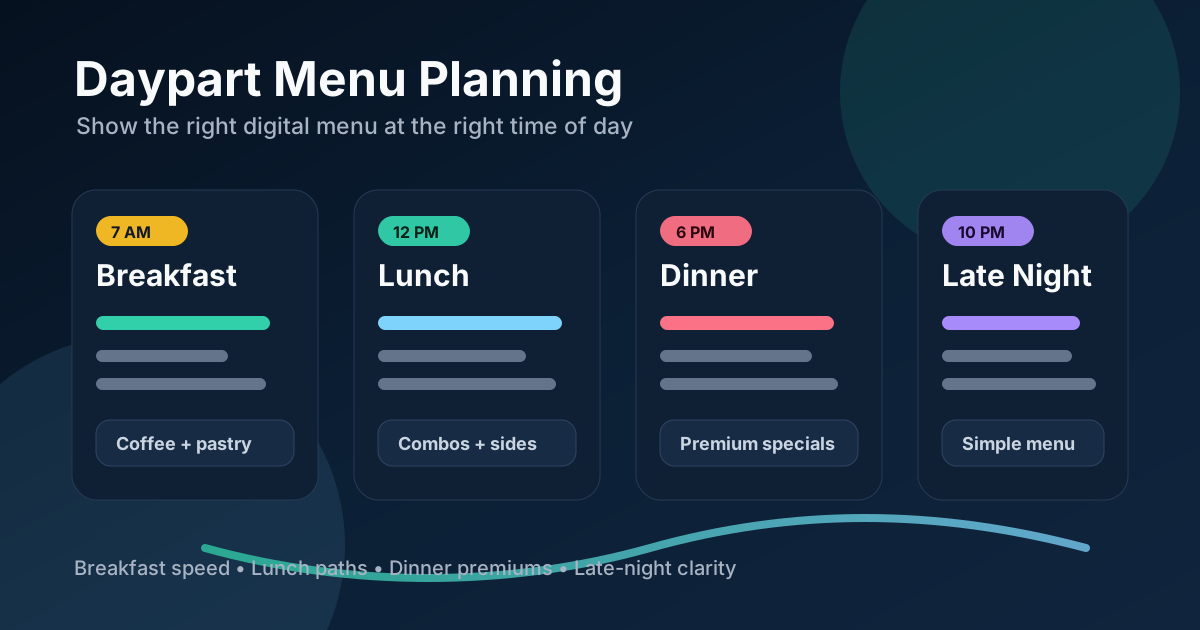
A restaurant menu does not have the same job all day. Breakfast guests may want speed and routine. Lunch guests may compare combos and watch the line. Dinner guests may slow down, consider premium items, and respond to richer descriptions. Late-night guests may care most about simple choices, clear pricing, and fast add-ons. If one digital menu board tries to serve every part of the day at once, it usually becomes harder to read and less useful.
Daypart planning is the process of matching the menu board to the moment. It decides which categories appear, which items get the most space, which photos are shown, which upsells make sense, and when each version should go live. Digital menu boards make dayparting practical because the screen can change automatically without reprinting, staff reminders, or messy taped signs.
The goal is not to create four completely separate menus for the sake of complexity. The goal is to remove noise. A customer should see the items that are available now, the offers that make sense now, and the ordering path that fits the current pace of service.
Start with the rhythm of the business
Before designing screens, map the restaurant's actual day. Look at when customers arrive, what they order, which stations get backed up, and when staff switch prep or service modes. A cafe might have a sharp breakfast rush, a quieter mid-morning pastry window, a lunch sandwich push, and an afternoon drink period. A quick-service restaurant might need lunch combos, dinner family meals, and late-night snacks. A bar might shift from happy hour to dinner to event-night service.
These windows should come from real operations, not from assumptions. Pull POS reports by hour if available. Ask cashiers which questions they hear most often at each time. Watch where the line slows down. The best daypart menu is built around behavior that already exists.
Breakfast menus should reduce decision time
Breakfast customers often repeat habits. They may be on the way to work, managing kids, or ordering coffee before fully waking up. This is the time to make familiar choices obvious. Put the core breakfast items first, keep category labels simple, and avoid burying the most common drink pairings.
Photos should clarify the highest-value morning choices. A breakfast sandwich photo can show size and ingredients. A seasonal latte photo can turn a flavor into a real craving. A combo image can explain what is included faster than a line of text. If the breakfast rush is fast, limit the number of featured items so the board can be scanned from the back of the line.
Morning upsells work best when they feel like routine improvements: add espresso shot, make it iced, add fruit, add hash browns, upgrade to large, or bundle coffee with a pastry. The menu should place those choices near the item where the decision happens.
Lunch menus should organize choices into paths
Lunch is often the most crowded decision period. Guests compare price, speed, portion size, dietary preferences, and combo value all at once. A strong lunch menu does not simply list everything. It creates paths: choose a main, choose a side, choose a drink, or choose a ready-made combo.
Digital boards can make these paths visible with columns, numbering, labels, and color accents. The design should help guests understand how to order before they reach the register. This is especially important for bowls, sandwiches, tacos, pizza, salads, and other menus with modifiers.
For lunch, reserve attention for high-throughput items and profitable bundles. If a restaurant wants to increase average order value, the combo area needs to be more visible than a small add-on list. If a premium protein or side has strong margin, show it as part of a complete meal rather than as a lonely upgrade at the bottom of the screen.
Dinner menus can support premium choices
Dinner guests may have more time to consider specials, larger portions, shareable items, and desserts. The board can use slightly richer descriptions, stronger food photography, and more space for limited-time offers. This does not mean the dinner menu should become crowded. It means the screen can move from pure speed toward appetite and value.
Highlight items that make sense for the evening: family meals, chef specials, shareable starters, premium proteins, craft drinks, desserts, and take-home offers. If the restaurant has both dine-in and takeout traffic, the dinner board should make those options easy to distinguish. Customers should not have to ask whether a family bundle is takeout only or available in the dining room.
Dinner dayparting also helps with availability. If certain lunch items are no longer sold after 4 p.m., remove them. If dinner-only items start at 5 p.m., do not tease them at 3 p.m. unless there is a clear preorder strategy.
Late-night menus need clarity and restraint
Late-night customers usually respond best to fewer choices, strong contrast, and obvious pricing. Staff may be operating with a smaller team, kitchens may run a reduced menu, and customers may be ordering quickly. The menu board should match that reality.
This is a good time to feature snacks, best sellers, simple combos, nonalcoholic drinks, desserts, and quick add-ons. It is also a good time to remove items that slow the kitchen or create too many modifications. A late-night board can improve service simply by narrowing the visible menu to the items the team can execute well.
Plan transitions so staff do not have to babysit the board
The handoff between dayparts matters. If breakfast ends at 10:30, decide what the board should show at 10:25, 10:30, and 10:35. Some restaurants benefit from a short transition screen that says lunch begins soon. Others need a clean switch at the exact cutoff. The right answer depends on kitchen readiness and customer expectations.
Digital menus work best when scheduling is predictable. Build a weekly schedule, then add exceptions for holidays, events, limited-time offers, and seasonal hours. Keep a simple internal checklist so managers know which daypart owns each item, photo, price, and promotion. When something changes, update the source menu once instead of improvising on the floor.
Measure the results by daypart
Dayparting should make the business easier to run and easier to buy from. Track sales by time of day after the new menus go live. Watch combo attach rate at lunch, premium item sales at dinner, add-on sales at breakfast, and order speed during rush periods. Staff feedback is just as important. If guests ask fewer questions, the board is doing its job.
Do not judge the whole menu from one daily sales number. A breakfast change might improve speed without changing average ticket much. A dinner change might lift premium sales but require clearer prep notes. A late-night change might reduce errors and refunds. Each daypart has its own definition of success.
Build the menu around the moment
A digital menu board is most valuable when it adapts to how the restaurant actually works. Breakfast should be fast and familiar. Lunch should guide choices. Dinner should support premium decisions. Late night should stay simple and readable. When each menu has a clear job, customers order with less friction and staff spend less time explaining the same details.
Start small if needed. Create one improved lunch board or one simplified late-night board, then measure what changes. Once the system works, expand it to the rest of the day. Good daypart planning is not about showing more. It is about showing the right menu at the right time.
Want menus that change with your restaurant's day?
Zenith Digital Menus designs, installs, and updates digital menu boards with clear daypart scheduling for restaurants, cafes, bars, and quick-service teams. Request a consultation.