Dine-In Digital Menu Readability: How to Design Screens Guests Can Actually Use
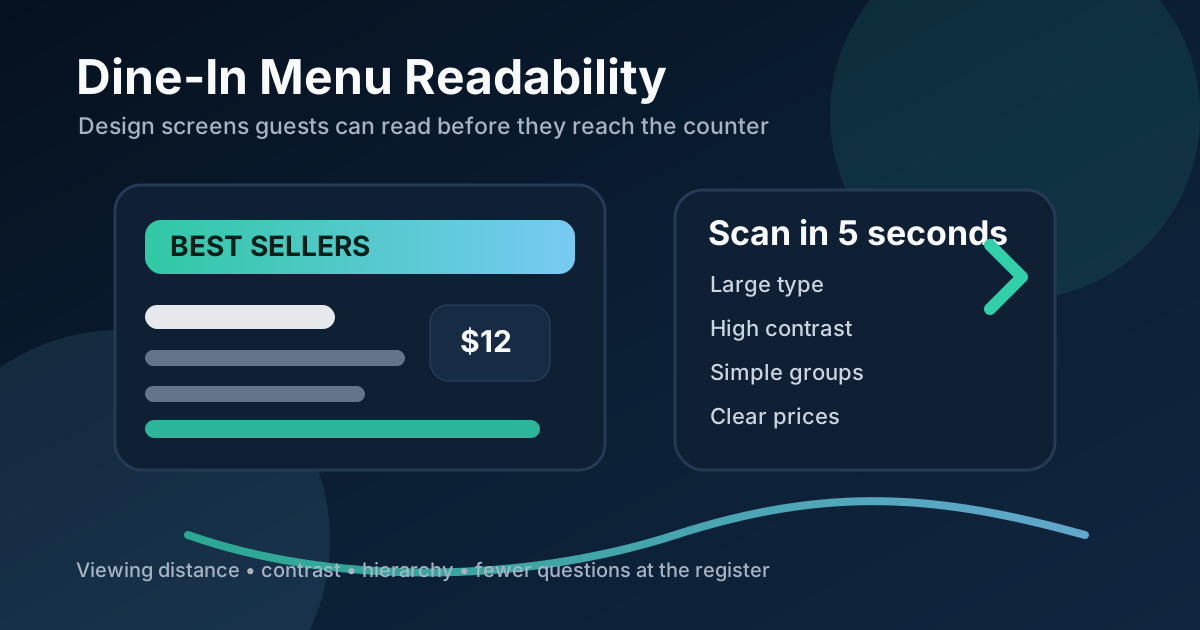
A dine-in digital menu board has a harder job than it looks. It needs to be attractive, but it also needs to be readable from a real distance, under real lighting, while guests are standing in line, talking to friends, watching kids, or deciding what they want before a cashier asks for an order. If the board looks beautiful on a laptop but turns into a wall of tiny text inside the restaurant, it is not doing its job.
Readability is not just a design preference. It affects order speed, staff questions, line movement, upsells, and customer confidence. A clear menu gives guests enough information to choose without feeling rushed. A cluttered menu pushes work back onto the cashier, which slows the line and creates avoidable friction.
The good news is that most readability problems are fixable. You do not need a more complicated system. You need a menu layout that respects viewing distance, category hierarchy, contrast, pricing clarity, and the limited attention people have when they are about to order.
Design for the farthest useful viewing point
The first question is not "What fits on the screen?" The better question is "Where will customers stand when they need to read this?" In many restaurants, the board must be readable from the entrance, the ordering line, and the final decision point near the register. Those are different distances, and the design should account for all of them.
Walk the room before finalizing the layout. Stand where a guest first enters. Stand where the line typically begins. Stand where a guest is two people away from ordering. If the item names, prices, and category labels are not clear from those spots, the board needs larger type, fewer items, stronger contrast, or a simpler structure.
Give categories more visual weight than decoration
Many menu boards spend too much space on decorative graphics while category labels are small and hard to scan. Guests do not start by reading every item. They first ask, "Where are the burgers?" or "Where are the bowls?" or "Do they have lunch combos?" Category labels are the road signs of the menu.
Use clear section names and make them visually consistent. A guest should be able to identify the structure of the board before reading the details. For a counter-service restaurant, that might mean Best Sellers, Combos, Entrees, Sides, Drinks, and Kids. For a cafe, it might mean Espresso, Cold Drinks, Breakfast, Pastries, Lunch, and Seasonal Specials.
Do not hide important categories in clever language. Brand voice is useful, but readability comes first. If a guest needs to decode the menu, the cashier will end up explaining it.
Use fewer items per screen
Digital screens tempt restaurants to show everything. That usually hurts the guest experience. A board packed with every size, modifier, flavor, and add-on becomes harder to use than a printed menu because guests are trying to read it from farther away.
The screen should prioritize the items most guests need to see before ordering. Full customization details can live in a QR menu, printed counter card, POS prompt, or secondary screen if necessary. The main dine-in board should answer the big questions: what do you sell, what are the popular choices, what does it cost, and what can I add?
For large menus, rotate or split content by role. One screen can handle core menu items while another handles drinks, seasonal specials, or combos. If there is only one screen, consider showing fewer items and using a tighter menu strategy rather than squeezing every SKU into the layout.
Make prices easy to connect to items
Price confusion creates hesitation. If prices are lined up far away from item names, guests have to track across the board and may misread the number. If price sizes are too small, staff will hear the same question all day. If modifiers change the price, the relationship needs to be obvious.
Keep prices close to the item names they belong to. Use consistent spacing and alignment. For size-based pricing, make the size labels large enough to read at the same distance as the prices. For combo upgrades, show the upgrade price near the combo callout instead of burying it in a footnote.
Simple price presentation also builds trust. Guests are more comfortable ordering when they feel the menu is straightforward.
Use contrast like a service tool
A digital menu board may look bright in a design preview but still fail in a restaurant with windows, glare, warm lighting, or reflections from stainless steel and glass. High contrast is essential. Light text on a dark background can work well, but only if the text is large enough and the background is not too busy. Dark text on light panels can also work, especially for detailed sections.
Avoid placing small text on photos, gradients, or patterned backgrounds. Food photography should support the menu, not compete with it. If text must sit near an image, use a solid panel or overlay with enough contrast. The goal is not simply to pass a design check. The goal is to make the board readable during lunch rush when people are moving and the room is noisy.
Highlight upsells without making the board feel pushy
Readable menus sell better because they reduce uncertainty. Upsells work best when they are placed where the decision naturally happens. A drink upgrade should be close to combos. A premium topping should sit near the item it improves. Dessert can appear near the end of the ordering path or as a simple featured tile.
The mistake is treating every upsell as equally urgent. If everything is highlighted, nothing is highlighted. Pick one or two helpful prompts per screen: make it a combo, add a seasonal drink, try the featured side, or upgrade to a larger size. Keep the language short and specific.
Test the board with real people, not just designers
The easiest readability test is simple: ask someone unfamiliar with the menu to stand where customers stand and choose an order. Watch what they notice first. Ask what confused them. Time how long it takes for them to find a main item, a drink, and the price. This test is more useful than debating layout preferences in a conference room.
Staff feedback matters too. Cashiers know which questions customers ask repeatedly. If guests keep asking whether a side is included, whether a sauce costs extra, or which items are available after 4 p.m., the board should answer that more clearly. A digital menu can be adjusted quickly, so use that flexibility.
Build readability into the update process
Menus change. Prices move, seasonal items launch, photos get replaced, and categories shift. Every update should preserve readability. Before publishing changes, check whether the text still fits, whether the hierarchy still makes sense, and whether the most important items are still easy to find.
A good digital menu board is not the one with the most information. It is the one that helps guests order confidently with fewer questions. When the board is readable from real restaurant distances, the whole service flow improves: customers decide earlier, staff explain less, upsells feel clearer, and the line moves with less stress.
Want digital menus guests can read from the line?
Zenith Digital Menus designs, installs, and updates clear digital menu boards for restaurants, cafes, bars, and quick-service teams. Request a consultation.