Menu Engineering for Kitchen Capacity: How Digital Menus Prevent Bottlenecks
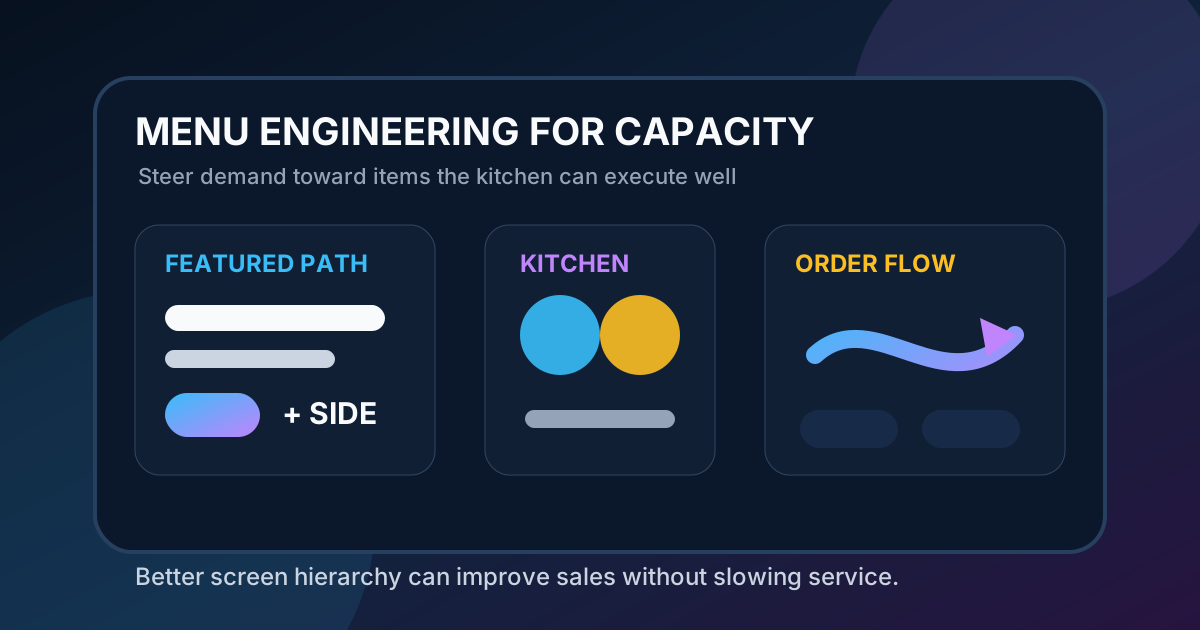
Most menu engineering advice focuses on profit margin and popularity. Those two factors matter, but they are not enough during a real lunch rush or dinner service. A menu item can be profitable on paper and still create problems if it slows the line, overwhelms one station, requires too many custom steps, or forces staff to explain the same choice over and over.
Digital menu boards give restaurants a practical way to connect menu engineering with kitchen capacity. Instead of treating the menu as a static list, the restaurant can use screen space, timing, photos, item grouping, and upsell prompts to guide demand toward the items the kitchen can execute well right now. That does not mean hiding choices or manipulating guests. It means making the best operational choices easier to see, easier to understand, and easier to order.
When menu boards are managed this way, they can reduce bottlenecks while protecting average order value. Guests get clearer choices. Cashiers answer fewer repetitive questions. The kitchen receives a better mix of orders. Managers can promote the items that fit the day, the staffing level, and the inventory position instead of pushing the same specials at all times.
Start with a capacity map, not a design mockup
Before changing the menu board, map the kitchen. List the main stations that affect speed: grill, fryer, oven, cold line, beverage, expo, dessert, or bar. Then identify which menu items rely on each station and which items require more than one constrained step. The goal is to find the items that are profitable, popular, and operationally safe during peak periods.
A burger might be a great seller but a poor item to over-promote if the grill is already the bottleneck. A bowl, salad, slice, pastry, premade drink, or combo built from ready components might be a better featured item during a tight rush. The right choice depends on the restaurant. The important part is that the menu board should reflect the actual service model, not just the owner’s favorite products.
Separate peak menus from slower-period menus
One of the easiest wins is dayparting. The menu that works at 2:30 in the afternoon may not be the menu that should dominate at 12:15. During peak windows, the board should give more space to items that move quickly, use available stations, and produce consistent margins. During slower periods, the board can support discovery, limited-time items, custom builds, and higher explanation products.
This does not require a completely different menu. It can be as simple as changing the order of categories, rotating the featured tile, moving a complex special lower on the screen, or switching the primary combo prompt. A digital menu can make those changes on a schedule, so staff do not need to remember to swap signs or explain why an old promotion is still visible.
Use screen hierarchy to steer attention
Guests do not read every item with equal attention. They scan. The largest photos, top positions, accent colors, and boxed areas receive more focus. That hierarchy should be used carefully. If the most prominent area always promotes the item that puts pressure on the slowest station, the menu board is working against the operation.
Choose one or two primary attention zones and assign them a job. One zone might feature a high-margin item that the kitchen can produce quickly. Another might promote a drink, side, or dessert that increases ticket size without slowing the main line. The rest of the board should stay calm and organized so the feature actually stands out.
Build combos around throughput
Combos are often treated as pure upsells, but they can also improve throughput. A good combo reduces decision time because the guest does not need to assemble every piece from scratch. It can also standardize production. The kitchen receives a familiar order pattern, the cashier has a cleaner prompt, and the guest feels confident about value.
For capacity-aware menu engineering, build combos around items the kitchen can repeat well. Pair a core entree with sides and beverages that do not overload the same bottleneck. If the fryer is the constraint, a combo that adds another fried side may not be the right rush-hour promotion. If beverages and packaged desserts are easy to fulfill, those may be better add-ons for the featured path.
Show customization without inviting chaos
Customization can increase revenue, but too many visible choices can slow ordering and production. Digital boards should present the most common, profitable, and operationally simple modifiers first. Deeper customization can live in the QR menu, online ordering flow, or cashier conversation.
For example, a board might show three clear add-ons: add avocado, add protein, make it a combo. It does not need to show every sauce, topping, preparation style, and substitution on the main screen. The main menu board should answer the questions most guests need answered quickly. If everything is equally visible, nothing is easy to choose.
Use limited-time offers with operational rules
Limited-time offers can be excellent for testing new items and creating urgency. They can also disrupt service if they are launched without capacity rules. Before promoting an LTO on a digital board, decide when it should appear, which station owns it, how many units can be sold comfortably, what happens if inventory runs low, and what replacement message appears when it sells out.
Digital menus make this easier because the offer can be scheduled, paused, or replaced quickly. If a seasonal drink runs out, the board can move to the next best option instead of leaving staff to apologize all afternoon. If a new entree becomes too slow during peak periods, it can remain visible in the QR menu while the board promotes a faster special until the rush passes.
Watch for order mix, not just sales lift
A menu change should be judged by more than total sales. Review the order mix after a featured item changes. Did average order value improve? Did ticket times change? Did voids, refunds, or remake requests increase? Did one station get overloaded? Did staff report fewer questions or more confusion?
The best digital menu programs create a feedback loop. A manager can compare what was promoted with what happened operationally. If a feature increases sales but adds five minutes to average ticket time, the restaurant may need a different time slot, a simpler build, or a different upsell. If a feature increases sales and keeps the line moving, it becomes a strong candidate for repeat placement.
Create a simple weekly menu board review
Capacity-aware menu engineering works best as a small habit. Once a week, review the current board with three questions. First, what do we want guests to order more often? Second, can the kitchen handle more of that item during the busiest periods? Third, does the board make that choice obvious without crowding everything else?
Then adjust one or two things, not the whole system. Rotate a feature tile, rewrite a combo label, remove an underperforming photo, change the timing of a special, or clarify an add-on. Small controlled changes are easier to measure and easier for staff to support.
The menu should help the whole restaurant
A digital menu board is not only a marketing surface. It is part of the service system. It influences what guests notice, how quickly they decide, what cashiers need to explain, what the kitchen receives, and how smoothly the line moves. When menu engineering includes kitchen capacity, the board becomes more useful to everyone.
The best result is a menu that sells profitable items without creating operational drag. Guests still feel in control, but the easiest choices are also the choices the restaurant can execute consistently. That is the real advantage of digital menus: they can adapt to the business in real time while keeping the customer experience clear.
Want digital menus that support smoother service?
Zenith Digital Menus designs, installs, and manages restaurant menu boards with clear layouts, practical updates, and service-friendly promotion planning. Request a consultation.