Digital Menu Accessibility: Contrast, Type Size, and Ordering Clarity for Restaurants
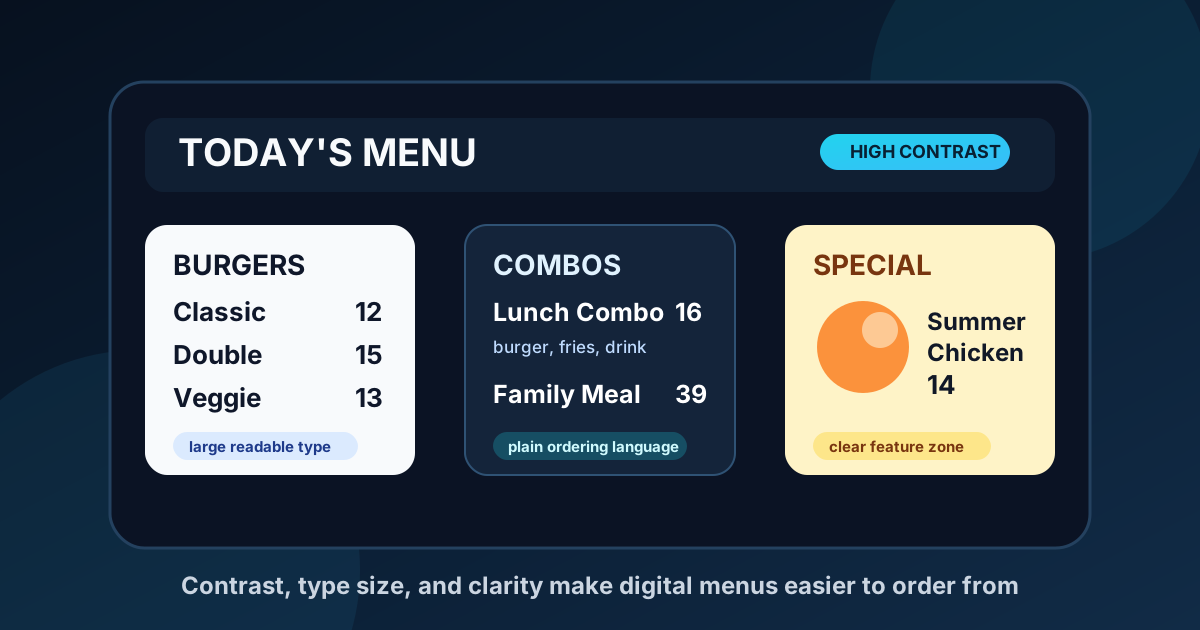
Accessible digital menu design is not only about compliance. It is about helping more guests understand the menu quickly, make confident choices, and move through the line with less friction. When a screen is hard to read, every customer feels it. Older guests squint. New customers hesitate. Staff repeat the same explanations. Regulars skip new items because the featured content is not clear enough to trust.
A digital menu board can solve those problems, but only when accessibility is treated as a design requirement from the start. Bright screens, motion, photos, and flexible layouts are powerful tools. Used carelessly, they can create glare, clutter, weak contrast, and tiny type. Used well, they make the ordering experience calmer and more useful for everyone.
Start with real viewing distance
The most common mistake is designing a menu on a laptop at arm's length, then expecting it to work from ten, twelve, or fifteen feet away. A layout that looks beautiful during design review can fail in the restaurant because the viewing conditions are completely different. Guests are standing in line, looking up, reading quickly, and sometimes dealing with glare, noise, or pressure from people behind them.
Before choosing type size, stand where guests actually stand. Measure the distance from the ordering point to the screen. Check the angle. Look at the board during morning, afternoon, and evening light if windows face the menu area. A counter-service board viewed from eight feet away can use smaller supporting text than a drive-thru board viewed from a car. A dine-in board above a busy counter needs stronger hierarchy than a screen near a host stand.
Use contrast before decoration
Contrast is the foundation of readable menu design. Dark text on a busy food photo is risky. Pale gray text on a dark background may look premium up close, but it can disappear on a bright screen. Red and green pairings can be confusing for guests with color vision differences. Thin fonts often lose shape when viewed at a distance.
Accessible menus use strong contrast for the information that matters most: category names, item names, prices, availability notes, and calls to action. Decorative colors can still support the brand, but they should not carry essential meaning by themselves. If an item is spicy, popular, vegetarian, or limited-time, use a clear label in addition to color. If a special is highlighted, make sure the text remains readable when the screen brightness changes.
Build a type scale that protects priority
Not every line of text deserves the same size. Guests should be able to scan the board in layers. First they see the category. Then they see item names. Then they see price and a short description if needed. A reliable type scale makes that scan easier.
For many restaurant boards, item names should be the anchor. Descriptions should be short and clearly secondary. Prices should be close enough to the item that guests do not have to trace across the screen. If the board uses columns, keep spacing consistent so the eye can connect each item to its price. Avoid squeezing long descriptions into tiny text. If an item needs a long explanation, it may belong on a QR menu, printed detail card, or staff script instead of the main ordering board.
Keep motion useful and limited
Motion can draw attention to a seasonal drink, dessert, or high-margin combo. It can also distract guests who are trying to read. Accessibility improves when movement has a purpose and does not compete with the ordering task. A subtle image transition is usually safer than fast flashing, constant scrolling, or multiple animated zones.
If your board rotates content, give each slide enough time to read. A guest should not lose the item they were considering because the screen changed too quickly. Core menu information should remain stable during ordering periods. Rotating panels work best for specials, reminders, events, and add-ons, not for essential categories that guests need to compare.
Write in plain ordering language
Accessibility is also about language. Clever menu names can add personality, but guests need plain clues about what they are ordering. A first-time visitor should not have to decode internal nicknames, vague seasonal phrases, or ingredient lists that skip the main item. Clear language reduces staff questions and helps customers with dietary needs make safer decisions.
Use direct labels for common needs: contains nuts, gluten-free option, vegetarian, dairy-free option, spicy, limited quantity, available after 4 PM. Keep the wording consistent across the menu. If one item says vegan and another says plant-based, guests may wonder whether the difference matters. Consistency is not boring. It is what lets people order without uncertainty.
Design for glare, brightness, and the room
A menu board does not exist in a vacuum. Windows, overhead lights, glossy tile, stainless steel equipment, and screen angle all affect readability. A bright display can still be unreadable if reflections cover the center of the menu. A dark display can feel stylish at night but weak during lunch.
Check the screen in the actual room before finalizing the design. Use matte placement where possible, angle screens away from direct reflection, and test brightness at different times of day. Avoid placing critical text near the edges of the screen if viewing angles are steep. If a restaurant has both dine-in and takeout traffic, consider whether one layout can serve both groups or whether separate screen zones need different priorities.
Make photos support decisions
Food photos can improve appetite appeal, but they should not make the menu harder to read. A large photo is useful when it clarifies a featured item, combo, or new special. Too many photos can turn the board into a collage and reduce the space available for readable text.
Choose photos with simple backgrounds, recognizable shapes, and enough contrast around text areas. Do not place prices or descriptions directly over complex parts of an image unless the design uses a solid overlay. If the photo does not help a guest decide, it may be better used on social media, a table tent, or a rotating promo slide instead of the core menu.
Review the menu with real customers in mind
The best accessibility review is practical. Watch where guests pause. Notice which questions staff answer repeatedly. Ask whether older customers can read the board comfortably. Check whether first-time guests can find combos, sides, drinks, and add-ons without help. If a menu causes the same confusion every day, the design is giving you useful feedback.
Digital menus make those improvements easier because changes do not require a full reprint. You can enlarge prices, simplify a category, reduce motion, change a background, or rewrite a confusing item in minutes. Small accessibility improvements often improve sales at the same time because guests understand more of what you sell.
Accessibility is good menu engineering
An accessible digital menu is not a stripped-down menu. It is a better organized menu. It respects real viewing distance, uses contrast wisely, gives type enough space, keeps motion under control, and explains choices in plain language. Those choices help guests with vision challenges, language barriers, decision fatigue, or simple lunchtime hurry. They also help every restaurant create a smoother ordering experience.
When a menu is easy to read, customers move faster, staff repeat less, and featured items have a better chance of being noticed. That is why accessibility belongs in the same conversation as upsells, seasonal updates, and menu engineering. Clearer menus are more inclusive, and they are usually more profitable.
Want easier-to-read menu boards?
Zenith Digital Menus designs, installs, and manages restaurant menu boards that keep ordering clear from real customer viewing distances. Request a consultation.