Digital Menu Price Update Workflow: How Restaurants Can Change Prices Without Confusing Guests
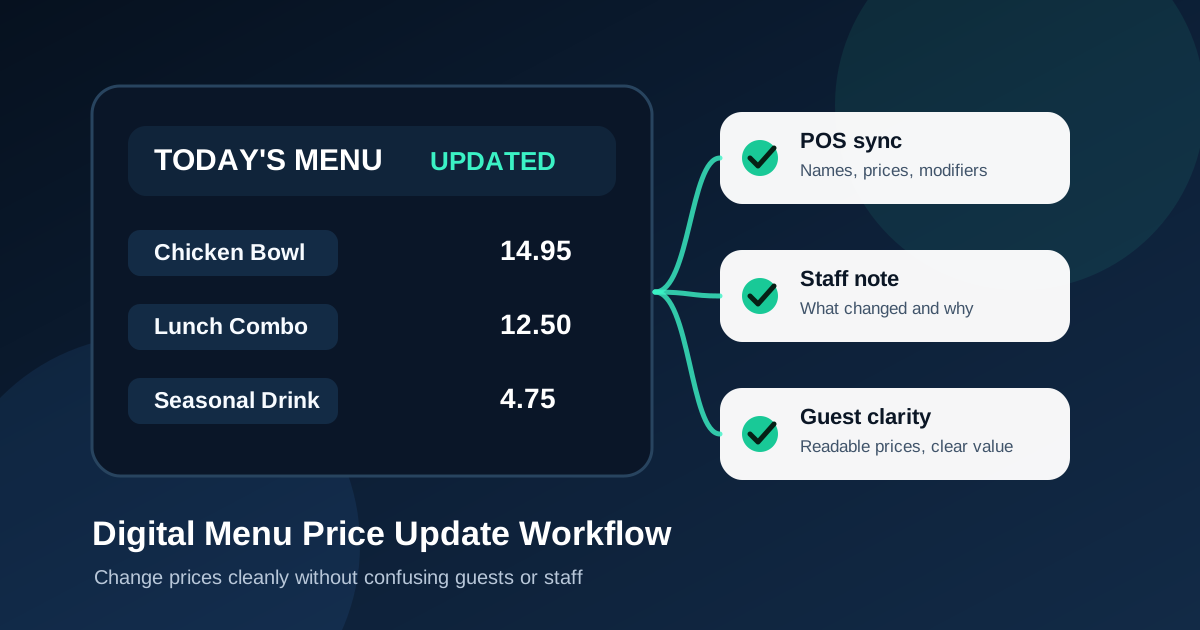
Price changes are one of the biggest reasons restaurants outgrow printed menus. Ingredient costs move, labor costs change, delivery fees shift, and seasonal items come and go. A digital menu board makes those changes faster, but speed alone is not the goal. The real goal is to update prices in a way that protects margins, keeps staff confident, and avoids surprising guests at the register.
A rushed price update can create the same problems as a bad printed menu. The board says one price, the point-of-sale system says another, a cashier quotes an old combo, and a regular customer feels like the restaurant is being sneaky. A good workflow prevents that. It gives owners and managers a simple path from cost review to screen update to staff rollout.
Start with the reason for the change
Before touching the menu design, define why the price is changing. A price update tied to food cost inflation is different from a price update tied to portion size, premium ingredients, delivery packaging, or a new combo structure. When the reason is clear, the update is easier to explain internally and easier to design around.
Managers should keep a short note for every meaningful price change: what changed, when it changed, and which items were affected. This does not need to be complicated. A simple spreadsheet or manager log is enough. The goal is to avoid mystery pricing where nobody remembers why an item increased by one dollar or why the lunch combo stayed the same.
Update menu strategy before menu art
Restaurants often treat price changes as a design task, but they are really a menu engineering task first. If a low-margin item needs a price increase, decide whether it should stay prominent, move lower on the board, become part of a combo, or be replaced by a more profitable option. Digital menus make layout changes easy, so use the update as a chance to improve the menu instead of only changing numbers.
Look at each category and ask three questions. Which items are profitable and easy for the kitchen to execute? Which items are popular but need a margin fix? Which items create bottlenecks or waste? Price changes should support those answers. A menu board that raises prices but still pushes the wrong items is leaving money on the table.
Keep the point-of-sale system and screens in sync
The most important operational step is matching the digital menu board to the point-of-sale system. Guests should never see one price on the screen and hear another price at checkout. Even a small mismatch creates friction because the customer is usually right to trust the menu they saw while ordering.
Build a sync checklist for every update. Confirm item names, modifiers, combo pricing, tax treatment if shown, add-on prices, size upgrades, and limited-time offers. If delivery or online ordering uses different pricing, label that separately and make sure staff know which channel the screen represents. Many complaints come from unclear channel pricing, not from the price itself.
Choose whether to show value or stay neutral
Not every price increase needs an announcement. If a drink moves from 3.49 to 3.79, the cleanest choice may be a quiet update during a normal menu refresh. Larger changes need more care. If a popular entree increases because the portion is larger, the ingredient is better, or the combo now includes a side, the board should communicate that value clearly.
Digital menus are useful because they can show context without cluttering the whole menu. A small callout like now includes house chips, upgraded to fresh avocado, or family size serves four can help guests understand why a price feels different. The key is to explain value, not apologize. Defensive copy makes customers focus on the price. Clear value copy helps them focus on the meal.
Avoid visual tricks that damage trust
Some restaurants try to hide price changes by shrinking prices, moving them away from item names, or using low contrast. That is a mistake. Guests notice when pricing feels evasive, and staff end up dealing with the frustration. A better digital menu keeps prices readable and close to the item they belong to.
Trust is part of the customer experience. A menu can still be strategic without being manipulative. Use hierarchy to feature profitable items, use photos to make specials appealing, and use combo framing to guide decisions. Do not make guests hunt for basic pricing. Clear prices reduce hesitation and help lines move faster.
Use timing to reduce friction
Price updates should go live at a time when staff can handle questions. For many restaurants, that means avoiding the middle of lunch rush or a busy Friday dinner. A morning update before service gives the team time to review the board, test the register, and catch mistakes before customers are waiting.
If the restaurant uses daypart menus, check every daypart. Breakfast, lunch, dinner, happy hour, late night, catering, and seasonal slides may all contain the same item in different places. A price changed in one layout but missed in another layout will create confusion later. Digital menus make dayparting powerful, but only if updates are applied consistently.
Prepare staff with a short rollout note
Staff do not need a long meeting for every update, but they do need a clear note. Tell them which items changed, which items are being featured, what to say if a guest asks, and when the update went live. A quick pre-shift message can prevent awkward moments at the counter.
The best staff note uses plain language. For example: chicken bowl increased because portion cost rose, lunch combo now includes a fountain drink, seasonal strawberry lemonade launches today, old printed table tents should be removed. That is enough for most teams. The point is to make sure the screen, register, and human explanation all match.
Review customer behavior after the update
A digital menu price update should not end when the new numbers go live. Review what happens afterward. Did the featured combo still sell? Did a high-margin side attach more often? Did staff get questions about one item? Did a category slow down because the layout changed too much?
Small adjustments can make a big difference. If a price increase hurts a popular item, the answer may not be lowering the price again. It may be improving the description, adding a better photo, moving the item into a combo, or featuring a more profitable alternative. Digital boards give restaurants room to test those improvements without waiting for the next print run.
Build a reusable price update checklist
The restaurants that handle price changes best treat them as a repeatable process. A simple checklist should cover cost review, menu engineering, point-of-sale sync, screen design, daypart review, staff notice, customer-facing value language, and post-update review. Once that checklist exists, future updates become calmer and less risky.
That repeatability matters because menu prices are no longer something restaurants can set once a year. Modern operators need the ability to respond to supplier changes, seasonal promotions, labor pressure, and customer demand without making the menu feel unstable. A good digital menu system provides that flexibility while keeping the guest experience consistent.
Price updates should feel organized, not reactive
Customers understand that restaurant prices change. What they dislike is confusion. A digital menu board can make price updates cleaner when the restaurant uses a disciplined workflow. Start with the business reason, review the menu strategy, sync the register, keep prices readable, prepare staff, and watch the results.
Handled this way, price updates become part of better restaurant management. They protect margins, reduce staff stress, and keep guests focused on what they came to order. The screen is only the visible part. The workflow behind it is what makes the change feel professional.
Need cleaner digital menu updates?
Zenith Digital Menus designs, installs, and manages restaurant menu boards so price changes, seasonal specials, and daily updates stay clear. Request a consultation.