Drive-Thru Menu Dayparting: How to Keep Digital Boards Clear All Day
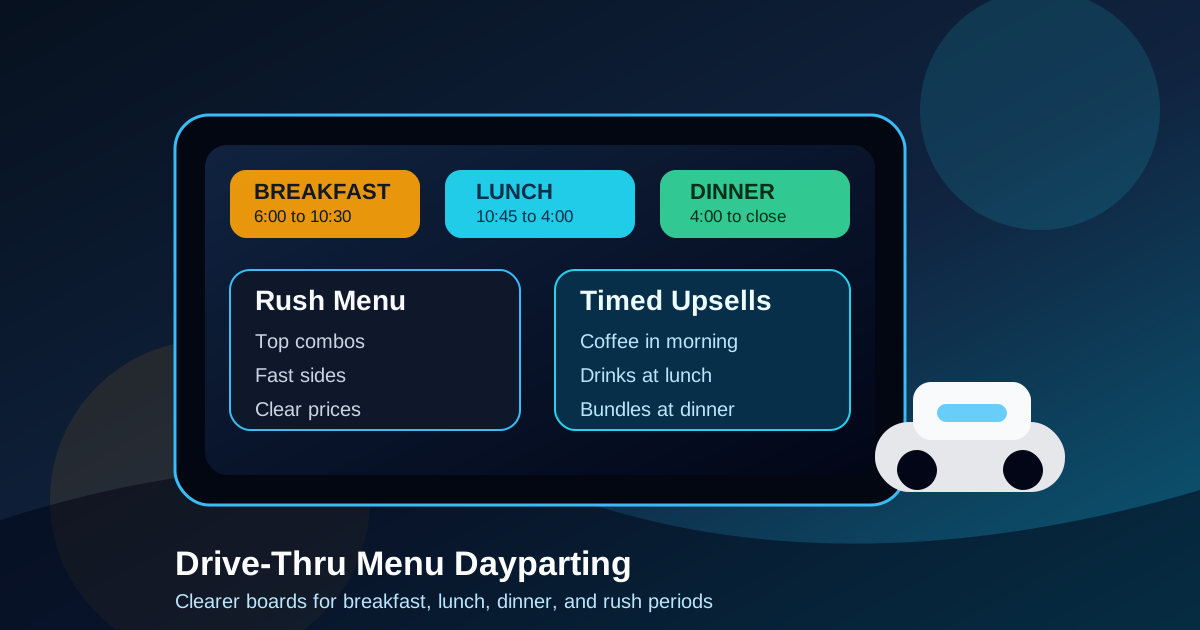
Drive-thru menus have a harder job than most restaurant screens. Guests are in a car, the line is moving, sunlight changes throughout the day, and the ordering decision happens in seconds. A board that works at 8:00 in the morning may feel crowded or confusing at 12:30. That is why dayparting should be treated as a design system, not just a timer that swaps breakfast for lunch.
Good drive-thru dayparting keeps the menu focused on what customers can actually order right now. It also helps staff avoid repeated explanations, protects kitchen capacity during rush periods, and gives high-margin add-ons a more natural place in the ordering flow. The goal is not to show more content. The goal is to show the right content at the right moment.
Start with the real ordering day
Before designing screens, map the restaurant day in operational terms. Most restaurants do not simply have breakfast, lunch, and dinner. They have opening prep, early commuters, school drop-off traffic, lunch rush, afternoon snack demand, dinner pickup, late-night value orders, and occasional slow periods. Each window has different customer expectations.
A breakfast commuter may want coffee, a sandwich, and a fast total. A lunch guest may need combo clarity and side choices. An afternoon customer may respond better to drinks, desserts, and small bites. A dinner customer may look for bundles or family meals. If the board treats every hour the same, it misses these changes in intent.
Make transition times conservative
The most common dayparting mistake is switching the board too aggressively. If breakfast technically ends at 10:30 but the kitchen still has a few breakfast orders in progress, the board can create confusion by disappearing too early. If lunch appears before staff are ready, guests may order items the kitchen cannot yet produce cleanly.
Use conservative transition windows. A restaurant can show a small message such as breakfast until 10:30, lunch begins at 10:45, or ask about remaining breakfast availability. The exact wording should match the operation, but the principle is simple: the screen should reduce conflict between customers and staff. A digital menu is flexible, but flexibility only helps if timing matches what the team can deliver.
Give each daypart a primary job
Every daypart should have a clear business goal. Breakfast may focus on speed and repeat orders. Lunch may focus on combos and premium sides. Afternoon may focus on incremental sales from drinks and snacks. Dinner may focus on larger tickets and family bundles. When the goal is clear, the layout becomes easier to judge.
For example, a lunch board should not bury combo rules below a long list of individual items if most lunch guests want a complete meal. A dinner board should not waste the top visual zone on single add-ons if family meals are the better fit. The digital board can keep the same brand style while changing emphasis by time of day.
Keep core items stable when possible
Dayparting should not make the restaurant feel like a different business every few hours. Customers build familiarity from repeated visits. If the whole board changes constantly, regulars need to relearn where to look. That slows the line and weakens trust.
Keep the structure stable where possible. Category positions, typography, price treatment, and ordering prompts should remain consistent. Then swap the content inside those zones. The customer should feel that breakfast, lunch, and dinner are part of one clear system, not three unrelated menus.
Design rush-hour versions with fewer decisions
Rush periods are not the time to showcase every item. When the line is long, the board should help customers decide faster. That usually means fewer featured choices, clearer combo paths, shorter descriptions, and less decorative content. A beautiful board that slows the queue is not doing its job.
For the lunch rush, consider featuring a tight set of best sellers, a simple make it a combo prompt, and one or two high-margin add-ons that pair naturally with the main items. Move low-volume items to a secondary screen or QR menu. The drive-thru board should answer the questions customers ask most often before they reach the speaker.
Use upsells that match the time of day
Upsells work best when they feel useful. A morning board might promote espresso upgrades, bottled juice, or an extra breakfast side. A lunch board might promote premium fries, larger drinks, or a cookie. A late-night board might promote shareable sides or value bundles. The wrong upsell at the wrong time becomes visual noise.
Place each upsell near the item or category it supports. If a premium drink pairs with spicy chicken, keep it near that section during the relevant daypart. If dessert sells after dinner, give it a visible but contained zone. Avoid filling every layout with the same generic add-on message. Digital menus should let the restaurant be more specific than paper menus.
Plan for sold-out items and temporary changes
Drive-thru frustration rises quickly when guests order something they just saw and then hear that it is unavailable. Dayparting should include a simple process for sold-out items, delayed prep, and temporary substitutions. This can be as basic as removing the item, dimming it with a sold-out label, or replacing it with a nearby alternative.
The important part is ownership. Decide who is allowed to request a change, who approves it, and how staff confirm the screen is updated. Without a workflow, the menu may stay wrong for hours. With a workflow, digital boards become a real operations tool instead of a static display.
Check readability in morning and afternoon light
Drive-thru readability changes with glare, shadows, rain, headlights, and viewing angle. A layout that looks sharp inside a design file may fail during the afternoon sun. Test each daypart at the actual ordering position. Read item names, prices, combo rules, and calls to action from a car at the normal stopping point.
Use high contrast, large type, and simple backgrounds for essential information. Avoid thin text over food photos. Photos can help appetite appeal, but they should never compete with names and prices. If the board can only be read in perfect conditions, it needs simplification.
Review performance with staff feedback
Sales data matters, but staff feedback is just as important for drive-thru menus. Cashiers and expediters hear confusion in real time. They know when customers ask the same question, miss a combo, misunderstand a price, or order an item that slows the kitchen. That feedback should shape the next version of each daypart.
Set a regular review rhythm. Once a week, look at item sales, average ticket, order times, common questions, and kitchen bottlenecks. Then make one or two changes instead of redesigning everything. Digital menus are powerful because they support small improvements over time.
Use a dayparting checklist before publishing
Before a new schedule goes live, check the basics. Are the start and end times aligned with kitchen readiness? Does each daypart have a primary goal? Are core categories in familiar positions? Are rush-hour boards simpler than slow-period boards? Are upsells matched to customer intent? Is there a clear process for sold-out items? Has someone tested the board from the drive-thru lane?
If those answers are solid, the menu is more likely to help both guests and staff. Dayparting is not only a marketing feature. It is a way to make the restaurant feel organized from open to close. The best drive-thru boards are calm, timely, and easy to act on.
Clarity wins the whole day
A drive-thru digital menu should change throughout the day, but it should not feel unpredictable. Keep the structure familiar, match content to real demand, simplify during rushes, and make transitions operationally honest. When the board reflects the actual service moment, guests order faster and staff spend less time correcting the menu.
That is the practical value of drive-thru dayparting. It turns a screen from a menu display into a service guide. The restaurant can promote the right items, protect the kitchen, and make the line feel easier for everyone.
Need a clearer drive-thru menu?
Zenith Digital Menus designs, installs, and manages restaurant menu boards that stay readable across breakfast, lunch, dinner, and rush periods. Request a consultation.