Weekly Menu Board Refresh Routine for Restaurants
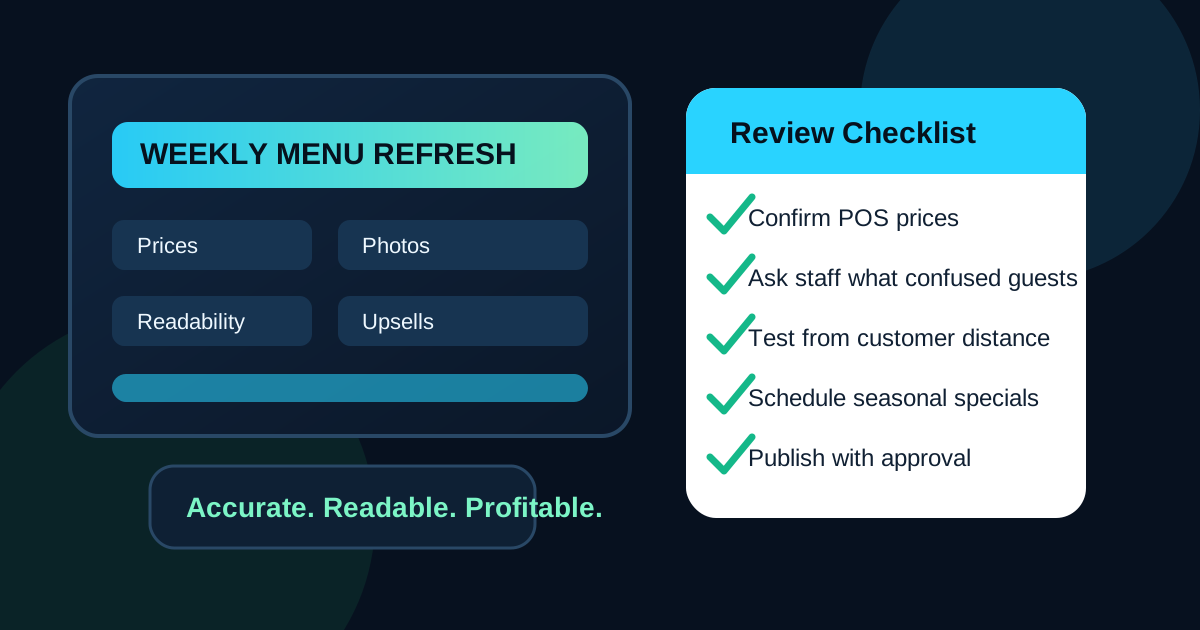
A digital menu board should not be treated like a poster that happens to be on a screen. The value comes from keeping it current. Prices change, ingredients run short, seasonal items rotate, staff notice confusing questions, and customers respond differently as the week unfolds. A menu board that looked perfect on launch day can become stale or inaccurate within a few weeks if nobody owns the update rhythm.
The best restaurants do not wait for a crisis before touching the menu. They use a simple weekly refresh routine. The routine does not need to be complicated. It just needs to catch the problems that annoy guests, slow down staff, and hide profitable items. A thirty-minute review can prevent a week of wrong prices, unreadable specials, and missed upsells.
Pick one owner and one review window
The first step is assigning ownership. If everyone is responsible for the menu, usually nobody is. Choose one person who gathers requests, checks accuracy, and approves the final version before it goes live. In a small restaurant, this might be the owner or general manager. In a larger operation, it might be a marketing lead, operations manager, or trusted shift lead.
Then choose a consistent review window. Monday morning works for many restaurants because the prior week has closed and upcoming specials can be confirmed. Others prefer Wednesday afternoon before weekend traffic builds. The exact time matters less than consistency. When the team knows that menu changes are reviewed once a week, requests become easier to organize and fewer changes happen in panic mode.
Start with accuracy before design
Before discussing colors, photos, or promotions, check whether the board is correct. Accuracy is the foundation of trust. Confirm item names, prices, sizes, modifiers, combo rules, tax notes where relevant, availability, allergens, and any limited-time dates. If the register price and the screen price disagree, customers will remember the mistake more than the design.
Build the review around the actual point-of-sale menu, not an old PDF or a manager's memory. If prices changed in the POS, the menu board should match. If a supplier change affects an ingredient description, update the wording. If a seasonal item is ending on Sunday, add a removal date now instead of hoping someone remembers later.
Review what guests asked about
Staff feedback is one of the most useful menu design tools in the building. Cashiers, servers, baristas, and expo staff hear confusion in real time. If five guests ask whether a bowl includes protein, the board probably needs clearer wording. If customers miss the combo upgrade, the prompt may be too small or too far from the item. If guests keep ordering a sold-out item, the removal process is too slow.
During the weekly refresh, ask staff for recurring questions from the past few days. Do not ask for vague opinions like whether the board looks nice. Ask operational questions. What did guests misunderstand? What item took too long to explain? What price or modifier caused hesitation? What upsell felt natural when staff mentioned it at the counter? These answers lead to practical changes.
Use sales data without overreacting
Sales data should guide the refresh, but it should not cause constant redesign. Look for patterns, not one-day noise. Which high-margin items are underperforming? Which add-ons are selling when staff mention them but not when the board carries the message alone? Which dayparts have slower order times or lower average tickets?
Make one or two changes based on the data, then measure again next week. For example, move a profitable side closer to the main item it complements. Give a seasonal drink a better photo slot during afternoon hours. Simplify a lunch combo if customers are choosing individual items instead. Digital menus make change easy, but too many changes at once make it hard to learn what actually worked.
Refresh photos with a purpose
Food photos can improve appetite appeal, but only when they support the ordering decision. A weekly review is a good time to check whether the photos still match what the kitchen serves. If plating changed, packaging changed, or a garnish is no longer used, replace the image or remove it. Nothing creates disappointment faster than a screen photo that promises a better-looking item than the guest receives.
Prioritize photos for items where visuals help customers decide quickly. New specials, premium upgrades, shareable sides, drinks, desserts, and signature items often benefit most. Avoid filling every screen with photos just because space is available. The menu still needs room for names, prices, sizes, and ordering logic. A strong weekly habit is to ask, does this image clarify the order or just decorate the board?
Check readability from the real customer position
A menu can look sharp on a laptop and fail across a counter. Every weekly refresh should include a quick readability test from the real viewing distance. Stand where guests stand. For drive-thru boards, check from the vehicle stopping point if possible. Read item names, prices, combo instructions, and promotional text without leaning in or squinting.
Look for small type, weak contrast, glare, busy backgrounds, and photos behind important text. Also check whether the layout still works during peak lighting conditions. Morning sun, afternoon glare, and evening reflections can change how a screen performs. If the most important items are hard to read, simplify the board before adding more content.
Match updates to dayparts and inventory
Weekly updates should account for how the restaurant changes by time of day. Breakfast guests may need speed and coffee pairings. Lunch guests may need combo clarity. Afternoon customers may respond to drinks and snacks. Dinner customers may look for bundles, sides, and family portions. A single all-day promotion may not be the best answer for every window.
Inventory should shape the refresh too. If the kitchen is heavy on a seasonal ingredient, the board can support a special that moves it. If a supplier issue makes an item unreliable, avoid featuring it heavily until the supply is stable. The digital board should reflect what the restaurant can confidently sell, not just what looks good in a marketing plan.
Keep a small change log
A change log sounds formal, but it can be simple. Record the date, what changed, who approved it, and why. Note if the change was made for pricing, availability, readability, upsell performance, or seasonal rotation. This helps the team avoid repeating the same debates and gives managers a way to connect menu updates with sales results.
The log also protects against accidental drift. If a limited-time item was supposed to run for three weeks, the end date is visible. If a price was updated because food cost changed, the reason is documented. If a layout was simplified because customers were confused, the next reviewer knows not to add clutter back without a good reason.
Use a pre-publish checklist
Before publishing the refreshed board, run a short checklist. Are all prices correct? Do item names match the POS? Are sold-out items removed or clearly labeled? Do photos match current plating? Are specials dated correctly? Is the primary upsell visible but not pushy? Can guests read the board from the real distance? Did a second person review the final version?
This checklist catches the small mistakes that create large frustration. It also makes updates less dependent on one person's memory. A restaurant does not need a complicated approval system. It needs a reliable habit that makes the screen trustworthy every time guests look at it.
Turn menu updates into an operations habit
A weekly digital menu refresh is not busywork. It is a compact operations meeting for the customer experience. The board tells guests what to order, what is available, what is worth upgrading, and how organized the restaurant feels. If the menu is accurate and easy to read, the line moves better and staff spend less time correcting confusion.
The routine is simple: assign an owner, review accuracy, listen to staff, check sales patterns, refresh photos carefully, test readability, match dayparts, keep a change log, and publish with a checklist. Done consistently, those steps make the menu board more profitable and less stressful to manage.
Need an easier menu update routine?
Zenith Digital Menus designs, installs, and manages restaurant menu boards so your screens stay accurate, readable, and ready for weekly changes. Request a consultation.