Digital Menu Customer Experience Audit: What Restaurant Owners Should Check Monthly
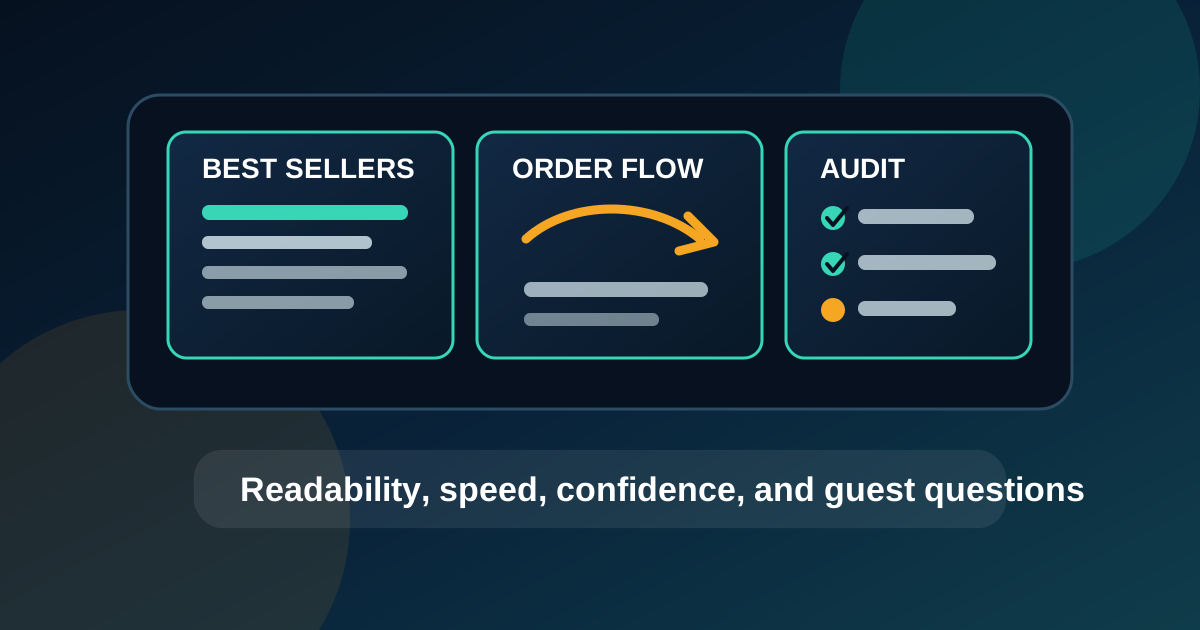
A digital menu can look polished in the design file and still create friction in the restaurant. Guests read it from real distances, under real lighting, while people are waiting behind them. Staff hear the same questions over and over. Managers notice when a promoted item is not selling, but they may not know whether the problem is price, placement, wording, photo quality, or simple visibility.
A monthly customer experience audit helps restaurant owners catch these issues before they become normal. The point is not to redesign the whole menu every month. The point is to stand where guests stand, watch how ordering actually happens, and make small improvements that help people decide faster and with more confidence.
Start from the guest's first decision point
Begin the audit at the entrance, host stand, counter line, drive-thru approach, or wherever customers first look for menu information. Ask one simple question: can a first-time guest understand what to do next within a few seconds? If the answer is no, the menu may be asking too much too early.
At this stage, guests usually need broad guidance before detail. They need to understand categories, featured items, meal structure, ordering steps, and whether the menu changes by time of day. If the first screen is packed with every modifier, sauce, side, and disclaimer, guests slow down before they even know what they want.
Check readability from real viewing distances
Stand at the farthest point where a customer is expected to read the screen. Then stand where the line normally forms. Then stand where a shorter guest or wheelchair user might be positioned. Text that is readable from a laptop during design review can become too small when mounted above a counter or placed behind reflective glass.
Look at category names, item names, descriptions, prices, calories if used, and limited-time offer copy. Prices should not require squinting. Item names should be clear before descriptions. Important modifiers should not disappear into fine print. If guests regularly ask what something costs or what comes with an item, that is not only a staff training issue. It is usually a menu clarity issue.
Look for glare, reflections, and blocked sightlines
Digital menus live in a physical space. Sunlight, pendant lights, windows, stainless steel, and glossy surfaces can all make screens harder to read. During the audit, check the menu at different times of day if possible. A board that looks perfect before opening may wash out during lunch or reflect the parking lot in the afternoon.
Also check sightlines. Are delivery tablets, hanging signs, plants, stacked cups, or promotional displays blocking parts of the screen? Can customers in the second or third position in line see the menu before they reach the register? If guests only see the menu once they are already ordering, they have less time to decide and staff feel more pressure.
Watch the order flow, not just the screen
A useful digital menu supports the way orders are built. For a burger restaurant, that might mean entree first, then combo option, then sides, then drinks, then add-ons. For a cafe, it might mean drink category, size, milk options, flavor add-ons, and food pairings. For a pizza shop, it might mean size, crust, specialty pies, build-your-own, wings, drinks, and deals.
During the audit, compare the screen order with the order that staff naturally use at the register. If employees have to jump back and forth between questions, the menu may not be matching the buying path. Better sequencing can reduce hesitation, improve upsells, and make new staff more consistent.
Test whether featured items are actually helpful
Featured zones should do a job. They might promote a high-margin item, move seasonal inventory, introduce a new dish, highlight a bundle, or reduce pressure on the kitchen by steering guests toward faster items. If a featured item has no clear purpose, it becomes decoration.
Check whether the featured item is visible, available, priced correctly, and easy to order. Make sure staff know what to say when someone asks about it. If a special appears on the screen but the register flow makes it hard to ring up, the guest experience breaks. If the item requires a long explanation, the screen should carry more of that explanation.
Compare menu prices, POS prices, and staff language
Price mismatches are one of the fastest ways to damage trust. A monthly audit should compare the digital menu against the POS, online ordering menu, QR menu, printed inserts, and any third-party ordering surfaces that customers might see. The names do not need to be identical everywhere, but they should be close enough that guests and staff know they refer to the same item.
Also listen to staff language. If cashiers use a shorter or clearer name than the menu uses, the menu copy may need to change. If staff have created their own explanation for a confusing combo, that explanation probably belongs on the screen. The best menu copy often comes from the phrases employees already use successfully with guests.
Review photos for accuracy and appetite appeal
Food photos can help guests decide, but only when they are accurate. Check whether the photo still matches the current portion, packaging, garnish, sauce, and plating. A photo that oversells the item may win one order and lose future trust. A photo that undersells the item wastes valuable screen space.
Use photos where they reduce uncertainty or make the item more appealing. New dishes, premium items, desserts, drinks, shareables, and family meals often benefit from visuals. Routine modifiers and low-margin items may not need photos. If the board feels crowded, removing weak photos can sometimes improve performance more than adding new ones.
Ask staff for the top three guest questions
Staff are the best source of customer experience data because they hear confusion in real time. Once a month, ask the people taking orders for the top three questions guests keep asking. Common examples include what comes with this combo, which size is shown, is this item spicy, can I substitute a side, do you still have breakfast, and where are the drinks?
Turn repeated questions into menu improvements. Add a short note, rename an item, move a category, clarify a price, or create a simple staff prompt. If the same question keeps coming back after the change, the fix was not visible enough or the menu is solving the wrong problem.
Keep the audit small enough to repeat
A customer experience audit should be practical. Choose five to ten checks, record the issues, assign owners, and make changes before the next busy period when possible. Do not let the audit become a giant redesign project unless the problems truly require it. Most restaurants improve digital menu performance through steady, simple adjustments.
A strong monthly rhythm might include readability, glare, order flow, featured item performance, price accuracy, photo accuracy, staff questions, and one sales metric such as average ticket or attachment rate. Over time, these notes reveal what the restaurant should promote, what guests miss, and where the menu is doing more harm than help.
Better screens create calmer ordering
Guests do not judge a digital menu by how clever the layout is. They judge it by whether they can choose quickly, trust the price, understand the offer, and feel confident at the register. A monthly audit keeps the menu connected to that reality.
Stand where guests stand. Read what they read. Watch how they order. Listen to staff. Then improve the screen one practical detail at a time. That habit turns a digital menu from a static display into a working part of the restaurant's customer experience.
Want digital menus that are easier for guests to use?
Zenith Digital Menus designs, installs, and manages restaurant digital menu boards with readability, order flow, and ongoing updates in mind. Request a consultation.