Restaurant Combo Menu Board Design: How to Sell Meal Deals Clearly
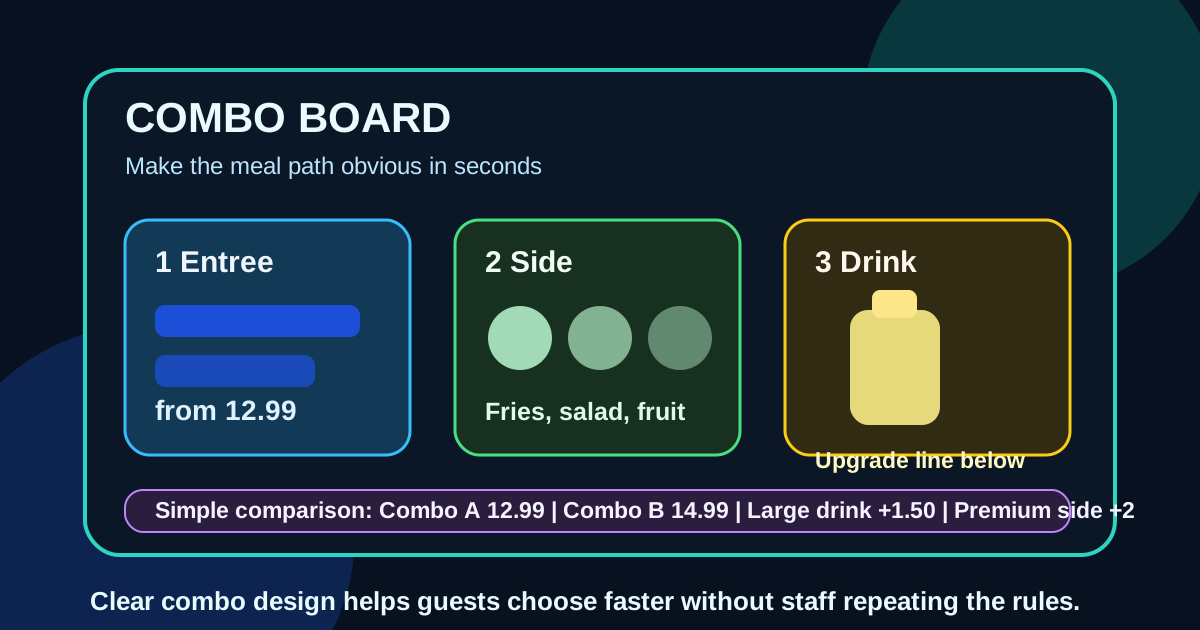
Combos are supposed to make ordering easier. A customer picks a main item, adds a side and drink, sees the value, and moves through the line. In practice, many restaurant combo boards do the opposite. They hide the rules in small type, list too many choices at once, separate prices from items, or make upgrades look like fine print. The guest hesitates, the cashier has to explain the same options again, and the restaurant loses the speed advantage that combos should create.
A digital menu board gives restaurants more control over the combo decision. You can group items visually, show examples, highlight profitable bundles, rotate offers by daypart, and remove unavailable choices before guests reach the register. The goal is not to make the board flashy. The goal is to make the meal path obvious enough that a first-time customer understands it in a few seconds.
Start with the ordering path, not the graphics
Before designing a combo board, write the order path in plain language. For example: choose one entree, choose one side, choose one drink, then choose whether to upgrade. If the combo has fixed components, say that. If customers can swap sides, list the allowed swaps. If some items cost extra, make the extra charge visible near the choice, not in a footnote at the bottom.
This simple path should drive the layout. Put the first decision first, the second decision second, and the price close to the complete meal. Digital boards fail when they are designed like storage shelves for menu information instead of instructions for making a choice. Guests do not need every possible detail at once. They need the next decision.
Give each combo a clear job
Restaurants often create too many bundles that compete with each other. If Combo 1, Combo 2, Combo 3, and Combo 4 all look similar, guests have to study the board instead of choosing. A better approach is to give each combo a distinct role.
- Value combo: the entry-level meal with a familiar item and simple price.
- Signature combo: the best brand representative or highest-margin core meal.
- Premium combo: larger portion, better side, specialty drink, or limited-time feature.
- Family or group combo: a larger bundle for multiple guests when relevant.
When each combo has a purpose, the board becomes easier to compare. The value option should not look like the premium option with one tiny price difference. Use labels, spacing, and photos to make the intended decision obvious.
Use price architecture that helps comparison
Combo pricing should be easy to scan from the ordering distance. Avoid forcing guests to match item names on the left with prices in a separate column on the right. Keep the full combo price close to the combo name and photo. If there are size options, show them as a small structured set rather than a sentence.
For example, Small 10.99, Regular 12.99, Large 14.99 is faster to understand than a paragraph explaining that regular drinks and fries are included with larger sizes available for an additional charge. If upgrades are common, place the most common upgrade directly below the combo price: make it large +1.50 or premium side +2. The customer should not discover upgrade pricing only after asking staff.
Separate included choices from paid upgrades
One of the most common combo board mistakes is mixing included sides and paid upgrades in the same visual area. Guests see sweet potato fries, onion rings, salad, chips, and fruit in one list, then learn at the register that some choices cost more. That creates friction even when the pricing is fair.
Use two zones. The first zone says Included sides and lists the standard options. The second zone says Upgrades and lists the premium options with prices. The same rule applies to drinks, sauces, proteins, toppings, and sizes. Clear separation makes the offer feel transparent and reduces staff correction at checkout.
Limit photos to the choices that matter
Food photography can make combo boards more persuasive, but too many photos can slow ordering. If every entree, side, drink, sauce, and dessert gets equal visual weight, the customer has to sort through a collage. Use photos where they help the decision most.
Usually that means showing one strong image for the signature combo, one for a limited-time combo, and perhaps small supporting images for side or drink upgrades. The photo should match what the customer can actually order. If the image shows a premium side, large drink, or sauce that is not included, label it clearly. Misleading combo photos create disappointment and extra questions.
Design for the real viewing distance
A combo board that looks clean on a laptop can fail across a counter. Most guests read digital menu boards while standing back, moving in line, looking around other customers, or deciding with a group. The board needs strong hierarchy: large combo names, readable prices, short descriptions, and obvious next steps.
Test the design from the farthest normal ordering position. If the combo price cannot be read quickly, increase it. If descriptions wrap into dense blocks, shorten them. If the upgrade rules are only readable from directly under the screen, they are too small. Combo boards need fewer words than owners expect because staff can answer edge cases. The board should handle the common order.
Show the best default order
Many guests want a recommendation. A digital board can reduce decision fatigue by showing a default order for each combo. For example: crispy chicken sandwich, fries, and fountain drink. Then add a short line that says swap side or drink options available. This gives uncertain customers a safe choice while preserving flexibility for regulars.
Default orders are especially useful for lunch rushes, drive-thru lanes, food trucks, and counter-service restaurants with long lines. They help the customer say, I will take Combo 2, instead of building a meal from scratch. That one sentence can save meaningful time across hundreds of orders.
Use limited-time combos carefully
Limited-time combos can lift average order value, but they should not take over the whole board. If a seasonal bundle is important, give it a feature zone with a clear end date or availability note. Explain what is included and show the price. Do not make the guest hunt through the regular menu to understand the special.
At the same time, avoid promoting too many limited-time offers at once. A board full of specials makes none of them feel special. One focused seasonal combo, supported by a photo and simple upgrade option, usually performs better than four competing banners.
Align the menu board with the POS and staff script
The digital board, POS buttons, printed coupons, online ordering page, and staff language should all use the same combo names. If the board says Signature Bowl Combo but the register says Bowl Meal, staff will translate the menu all day. That translation slows service and increases mistakes.
Before launching a new combo board, walk through the order with staff. Ask them what guests will ask. Check whether every board option exists in the POS. Confirm upgrade prices, substitutions, tax handling, loyalty discounts, and delivery differences. The board should match the real service workflow, not an idealized version of it.
Review combo performance after launch
A combo board is not finished on launch day. After a week, compare actual orders with the board hierarchy. Are guests choosing the intended featured combo? Are they asking the same upgrade questions? Are premium sides selling? Are cashiers repeating rules that should be visible? These answers show where the design needs adjustment.
Digital boards make small improvements easier. You can rename a confusing combo, move an upgrade line closer to the price, reduce text, swap a photo, or feature a better-performing bundle without reprinting anything. Treat the board as a sales and service tool that gets tuned over time.
Make combos feel simple
The best combo menu boards make the restaurant feel organized. Guests understand what is included, compare options quickly, see the value, and order without embarrassment or confusion. Staff spend less time explaining rules and more time keeping the line moving. Owners get a cleaner way to promote profitable meals, premium sides, specialty drinks, and seasonal bundles.
Start with the order path, give each combo a clear role, keep prices near the decision, separate included choices from upgrades, limit photos, test from the real viewing distance, and review performance after launch. A combo board does not need to be complicated to sell more. It needs to make the next choice obvious.
Need combo boards that are easier to order from?
Zenith Digital Menus designs and manages digital menu boards that make combos, upgrades, sides, drinks, and seasonal offers clear for guests and staff. Request a consultation.