Restaurant Digital Menu Readability Test: Check Screens Before the Rush
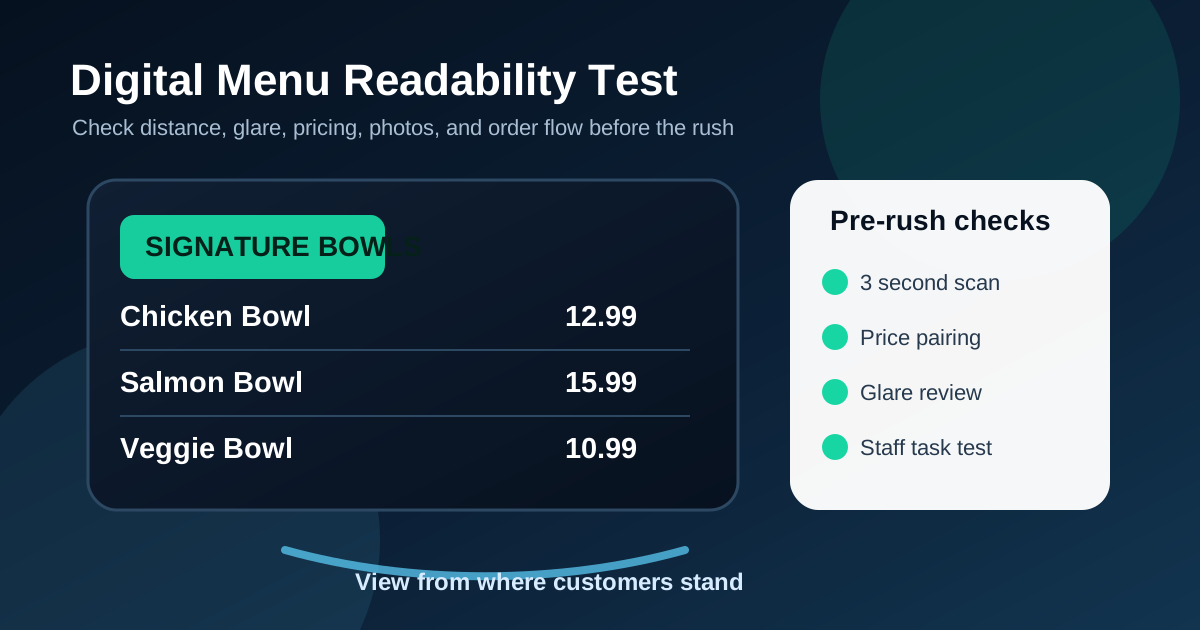
A digital menu board can look sharp on a designer's screen and still fail during service. The real test happens when a guest walks in, stands behind two other people, looks up from a few steps back, and tries to decide what to order before it is their turn. If they cannot read the prices, compare categories, understand specials, or see the next decision quickly, the board is not doing its job.
Restaurant owners do not need a complicated research study to catch most readability problems. A short pre-rush test can reveal the issues that slow lines, create staff questions, and hide profitable items. The goal is simple: check the menu from the same places customers actually stand, under the same lighting, with the same distractions, before the lunch or dinner rush starts.
Start at the farthest normal ordering point
Do not judge the menu from directly under the screen. Start at the farthest place a customer commonly reads from. For counter service, that might be the entrance side of the line. For a drive-thru, it might be the first point where a driver can see the board clearly. For a dine-in restaurant, it may be the spot where guests pause before walking to the counter.
From that position, ask three questions. Can you identify the major categories in three seconds? Can you read the main prices without squinting? Can you tell what the restaurant wants you to order first? If the answer is no, the board needs stronger hierarchy. Increase category labels, reduce secondary copy, and move the most important prices closer to item names.
Run a three-second category scan
Guests rarely read a full menu from top to bottom. They scan for the section that matches their intent: burgers, bowls, pizza, coffee, desserts, kids meals, family packs, or specials. A readable digital menu makes those sections obvious before the details appear.
Stand back, look away, then look at the screen for three seconds. Write down the categories you remember. If you can only remember a photo or one promotional item, the board may be too visually noisy. Category labels should be large enough to act like road signs. They should not compete with every item description, modifier, badge, and price on the board.
Check price pairing, not just price size
Price readability is not only about large numbers. Customers need to know which price belongs to which item. Problems appear when prices are placed in a long right-side column, when item names wrap into multiple lines, or when modifiers sit between the item and the price. A guest should not have to trace across the board like a spreadsheet.
A good test is to cover the item descriptions with your hand or a sheet of paper and see whether each item and price still feel paired. If the relationship breaks, tighten the layout. Put prices close to names, align related choices, and avoid using tiny footnotes for common charges. For upgrades, show the extra price next to the upgrade instead of hiding it at the bottom.
Test glare and brightness during real conditions
Digital menu boards change throughout the day because the room changes. Morning sun, afternoon glare, evening reflections, open doors, patio light, and nearby windows can all reduce contrast. A design that looks perfect after closing may be hard to read at noon.
Check the board at the actual times when orders peak. Stand where guests stand and look for washed-out sections, reflections over prices, dark photos, and low-contrast text. If glare affects one section every day, do not keep important specials there. Move key pricing and ordering information to a safer zone, increase contrast, or adjust the screen angle when possible.
Use a staff member who did not design the menu
The owner, manager, or designer often knows the menu too well. Familiarity hides confusion. Ask a staff member who was not involved in the design to complete a few quick tasks from the customer side of the counter.
- Find the cheapest lunch option.
- Find the signature item the restaurant wants to sell.
- Find the price to make a drink large.
- Find whether a side is included or costs extra.
- Find the limited-time offer and say when it is available.
If they hesitate, guests will hesitate too. The fix is usually not more explanation. It is better grouping, clearer labels, fewer competing highlights, and more obvious placement of the next step.
Separate permanent choices from temporary offers
Limited-time offers are useful, but they can make a menu harder to understand when they take over the board. A special should create interest without hiding the core menu. During the readability test, check whether a new customer can still find the basic categories after noticing the promotion.
A practical structure is to reserve one consistent feature zone for seasonal items, chef specials, combo upgrades, or high-margin add-ons. Keep the main menu structure stable. When restaurants move every section around for each promotion, regulars have to relearn the board and staff answer more basic questions.
Review photos for accuracy and decision value
Photos can improve ordering, but only when they help the customer make a decision. A photo should show an item that is available, named nearby, priced clearly, and representative of what the guest will receive. If a picture includes upgrades or sides that cost extra, label that clearly.
During the test, ask whether each photo has a job. Does it support a signature item? Does it make a premium upgrade easier to understand? Does it help guests compare sizes or formats? If the answer is no, the photo may be decoration. Too many decorative images reduce readability because they compete with the information customers need.
Read every modifier like a first-time guest
Modifiers are where many digital menus become confusing. Sauce choices, milk alternatives, protein swaps, side upgrades, combo sizes, toppings, and spice levels can all be useful, but they should not overwhelm the main order path. The board should answer the most common modifier questions without turning into a rulebook.
Group modifiers by decision type. Put included choices together. Put paid upgrades together. Put unavailable or limited items somewhere staff can update quickly. Avoid mixing included and paid choices in one visual list unless every extra charge is obvious. Transparency matters because guests react badly when a charge appears after they thought the choice was included.
Do a verbal order test
A readable menu should help customers say their order clearly. Pick three common orders and speak them out loud while looking at the board. For example: I want the chicken bowl, make it spicy, add avocado, and get a drink. If you have to jump between four sections to build that sentence, the menu path may be scattered.
This test is especially useful for fast-casual restaurants, cafes, pizza shops, burger concepts, food trucks, and any place with a line. The easier the board makes the order sentence, the faster the cashier can confirm it and the less pressure the customer feels.
Make a small change log after each test
The best readability routine is repeatable. Keep a simple change log with the date, what was hard to read, what staff heard from guests, and what changed. Over time, patterns appear. Maybe guests miss the drink upgrades every weekend. Maybe the dinner special gets attention but the lunch combo does not. Maybe one screen always has glare in the afternoon.
Small changes are easier to manage than occasional full redesigns. A weekly or monthly readability check lets restaurants improve the board while the menu is still familiar to staff and guests. Digital menus are valuable because they can be updated quickly, but quick updates still need a clear review process.
Use this quick pre-rush checklist
Before the next busy service, walk through this list from the customer side of the counter.
- Can the main categories be understood in three seconds?
- Are item names and prices clearly paired?
- Are the highest-priority items visible from the normal ordering distance?
- Are included choices separate from paid upgrades?
- Are photos accurate, current, and helpful?
- Are limited-time offers noticeable without hiding the core menu?
- Does glare affect any important section?
- Can staff explain the board without correcting it?
A digital menu does not need to show everything equally. It needs to guide the next order clearly. When restaurants test readability from the customer's point of view, they usually find simple fixes that make the line move faster, make prices feel more transparent, and make profitable items easier to choose.
Need a more readable restaurant menu board?
Zenith Digital Menus designs, installs, and updates digital menu boards for restaurants that need clear screens, accurate pricing, and easier ordering. Contact us to plan your menu setup.