Restaurant Seasonal Menu Update Checklist for Digital Boards
Seasonal menu updates should be a sales opportunity, not a source of confusion. A summer drink, fall soup, holiday dessert, or limited seafood feature can give regular guests a reason to come back and give new guests something memorable to order. The problem is that many restaurants treat seasonal updates like a last-minute graphic swap. A new item gets added to the board, a photo is dropped into an open space, prices are changed quickly, and staff learn about the update only when customers start asking questions.
Digital menu boards make seasonal changes easier because they remove printing delays. That speed is useful, but it can also hide weak planning. If the menu is not checked for readability, item availability, pricing, prep limits, and staff readiness, the screen may look fresh while the operation feels scattered. A strong seasonal update process protects both sides: guests see a clear, appealing menu, and the restaurant can actually deliver what the board is promoting.
Start with one business goal
Before choosing colors, photos, or layout, decide what the seasonal update is supposed to do. A menu can promote high-margin items, introduce a new category, move inventory, create urgency around a short window, or make the brand feel more current. It should not try to do all of those at once.
For example, a cafe launching summer drinks may want to increase afternoon traffic, so the board should make cold beverages visible outside the morning coffee rush. A pizza shop may want to feature a seasonal topping while keeping the main ordering path fast. A burger concept may want to sell more premium shakes, which means the shake panel needs to appear near combos and desserts, not buried in a rotating promo. When the goal is clear, the design choices become easier.
Choose items that fit real kitchen capacity
A seasonal item should be attractive, profitable, and realistic during busy service. Restaurants sometimes promote an item because it photographs well, then discover that it slows a station, uses an ingredient that runs out quickly, or requires too much explanation at the register. Digital menus can create demand very quickly, so the promoted item has to be operationally ready.
Before adding the item to the main board, ask the kitchen and counter team a few practical questions. Can the item be made during peak rush? Is the prep station ready before the menu goes live? Does the item require a modifier that staff need to explain? Is the ingredient supply stable for the full promotion window? If the answer is no, the item may still belong on the menu, but it should be promoted in a smaller zone, limited to a daypart, or supported with clearer staff notes.
Limit the number of seasonal highlights
Seasonal updates lose power when every item is treated as special. A digital board with six highlighted drinks, four new entrees, three desserts, and several animated badges forces guests to work too hard. The better approach is to pick one primary seasonal feature and two or three supporting items.
The primary feature should get the strongest visual treatment: larger type, a clean photo, and a short description. Supporting items can be listed in a smaller seasonal section or grouped by category. This keeps the board useful for regular ordering while still making the seasonal update noticeable. Guests should be able to answer two questions quickly: what is new, and what can I order right now?
Write descriptions that help decisions
A seasonal description does not need to be long. It needs to answer the questions that affect ordering. What is the flavor? Is it spicy, sweet, rich, light, cold, or shareable? Is it available for a limited time? Does it pair well with an existing entree, drink, side, or dessert?
Useful descriptions are specific without becoming crowded. Instead of summer salad, write peach and arugula salad with goat cheese, almonds, and lemon vinaigrette. Instead of new lemonade, write watermelon mint lemonade, served iced, available through August. The second version helps the guest imagine the item and understand the time limit. On a digital board, every word has to earn its space, especially when customers are reading from several feet away.
Check price visibility and margin logic
Seasonal items often carry different food costs than core menu items. Produce, seafood, specialty syrups, holiday ingredients, and limited packaging can change the margin quickly. The board should not only show the correct price, it should support the pricing strategy.
If a seasonal item is premium, make that feel intentional. Use better photography, a stronger description, and placement near other premium choices. If it is designed as an add-on, show it near the item it complements. If it is a combo upgrade, make the upgrade price easy to understand. Avoid tiny price notes, unclear plus signs, or separate modifier rules that customers only learn at checkout. Pricing clarity reduces friction and protects staff from awkward explanations.
Use photos carefully
Food photos can make seasonal items sell, but only when they improve clarity. One strong photo is usually better than several average photos. The image should match what guests will actually receive, including portion, garnish, glassware, packaging, and color. If the photo overpromises, the menu may win the order but lose trust.
Place the photo where it supports the decision path. For a featured entree, the image can sit beside the item name and description. For seasonal drinks, a group photo may work if each drink is labeled clearly. For desserts, one close-up can create appetite appeal without taking over the entire board. Always test the image from the guest viewing distance. A photo that looks beautiful on a laptop may become a dark rectangle on a bright counter-service screen.
Plan the launch and removal dates
A seasonal menu needs a start date, an end date, and a backup plan. Without those, old content lingers on the board after ingredients are gone, or staff have to explain why a promoted item is unavailable. Digital menus make it easy to schedule content, but someone still needs to own the calendar.
Set the launch date after ingredients, prep cards, point-of-sale buttons, and staff notes are ready. Set the removal date before the item becomes stale or hard to source. If the item might sell out early, prepare a simple replacement tile that can go live quickly. A message like seasonal drink sold out, try our mango iced tea is better than leaving a popular item visible when the team can no longer make it.
Align the board with the register
The fastest way to turn a seasonal update into a staff headache is to let the menu board and register disagree. Check item names, prices, modifiers, tax wording, combo eligibility, loyalty rewards, and online ordering labels. Guests do not care which system is wrong. They only know that the screen promised one thing and checkout shows another.
Give staff a one-minute briefing
Staff do not need a long memo for every seasonal update. They do need the basics before the screen goes live. Give them the item name, price, availability window, ingredient highlights, allergen notes if relevant, and the short answer to why the item is featured.
A good briefing might sound like this: The peach tea launches today at 11, it is available through August, it pairs with lunch combos, and it can be made unsweetened. If we sell out, offer mango tea instead. That level of clarity helps staff sell confidently and keeps guest questions from slowing the line.
Test the update during real service conditions
Do not approve a seasonal board only from a design preview. Stand where customers stand. Look at the screen during the lighting conditions that matter most, such as lunch glare, evening reflections, or a crowded line. Check whether the seasonal item is noticeable without hiding core menu items. Make sure category labels, prices, and descriptions are readable at the actual distance.
Use a repeatable seasonal checklist
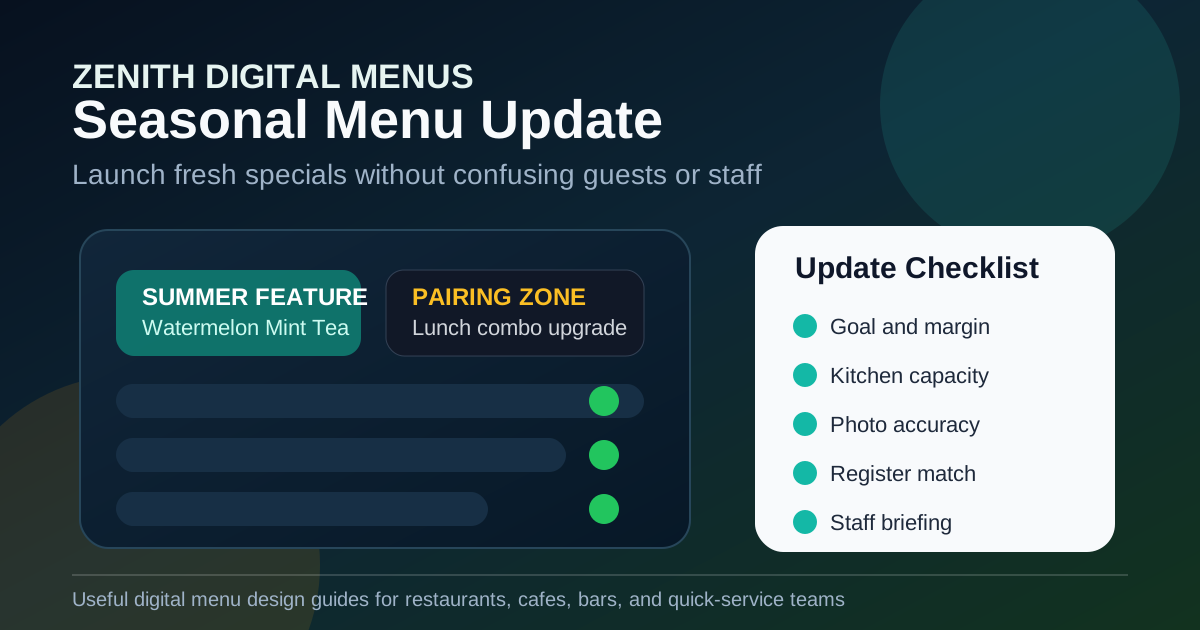
Before the next seasonal menu update goes live, review these items:
- Define one main business goal for the update.
- Confirm the featured items fit kitchen capacity during peak service.
- Limit highlights so the board stays readable.
- Write short descriptions that explain flavor, timing, and pairing.
- Check pricing, margin logic, modifiers, and combo rules.
- Use photos that match the real item and remain clear from a distance.
- Schedule launch, removal, and replacement content.
- Match item names and prices across the board, register, and online menu.
- Brief staff before the promotion appears to guests.
- Review the board during real service and adjust quickly.
Seasonal updates work best when they feel fresh to guests and boringly reliable to staff. The menu board should create interest, guide choices, and promote profitable items without making the operation harder. With a repeatable checklist, restaurants can launch seasonal items faster, keep screens readable, and turn menu changes into a steady part of the customer experience instead of a scramble.
Need seasonal menu updates that stay clear?
Zenith Digital Menus designs, installs, and updates digital menu boards that keep specials readable and aligned with real restaurant operations. Contact us to plan your next menu refresh.