Restaurant Digital Menu Error Prevention: Catch Problems Before Service
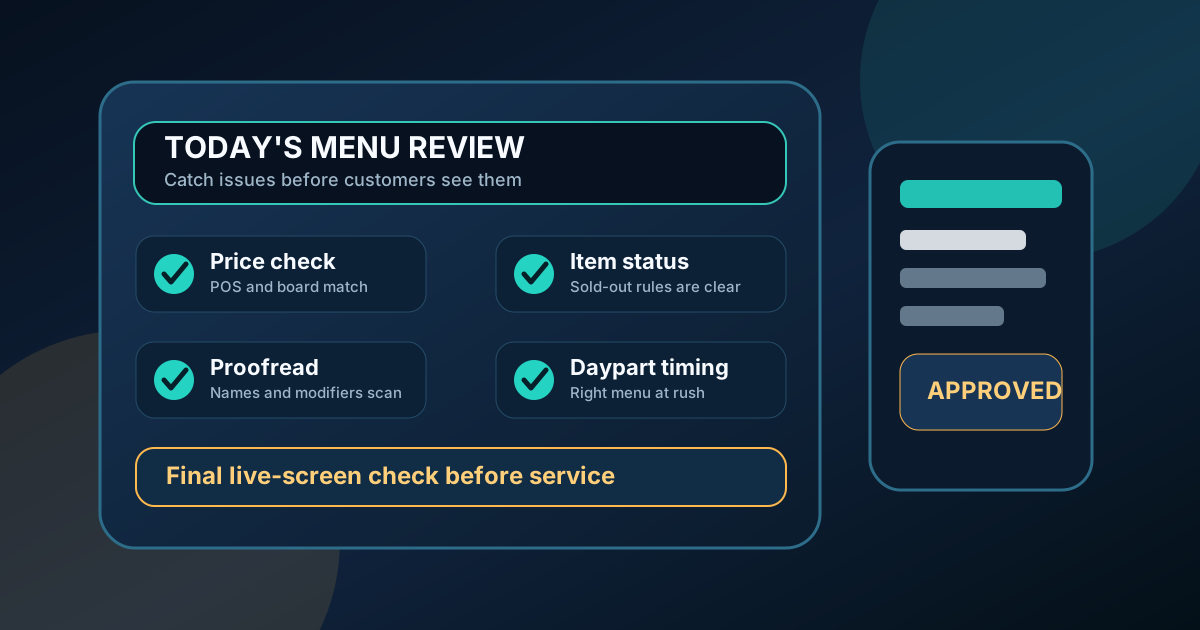
Digital menu boards make restaurant updates faster, but speed can also make mistakes easier to publish. A wrong price, an outdated special, a missing modifier, or a breakfast item showing during dinner can create friction at the counter within minutes. Guests may question the total. Staff may need to explain the same problem over and over. Managers may lose trust in the menu process because every change feels risky.
Error prevention is not about slowing updates down until nothing can move. It is about building a simple review system that catches the most common problems before the board reaches customers. Restaurants do not need a complicated approval chain. They need clear ownership, a short checklist, good timing, and a habit of reviewing the menu from the guest's point of view.
Here is a practical way to keep restaurant digital menus accurate while still taking advantage of quick seasonal updates, price changes, daypart schedules, and limited-time offers.
Separate urgent fixes from planned updates
Not every menu change deserves the same process. A spelling correction or sold-out item may need to go live immediately. A full price update, new combo rollout, or seasonal menu launch should be planned with more review time. When every change is treated as urgent, errors slip through because nobody has space to check the details.
Create two paths. The urgent path is for mistakes, out-of-stock items, temporary removals, and operational notes that affect service today. It should be quick and owned by one responsible person. The planned path is for menu releases, price changes, new photos, daypart rules, and larger layout adjustments. It should include staff review before guests see it.
Make price checks their own step
Price errors are the fastest way to create customer frustration. They also tend to hide in plain sight because the design may look finished even when the numbers are wrong. Do not combine price review with copy review, photo review, and layout review in one vague approval. Give prices a dedicated pass.
Compare the digital menu against the source of truth used by the restaurant, such as the POS, manager-approved price sheet, or current printed reference. Check base prices, size upgrades, combo prices, add-ons, substitutions, tax-included notes, and limited-time offer pricing. If the board uses upgrade language such as "+$3" or "make it a meal," confirm that the final total still matches what staff will ring up.
- Check every changed price against the approved source.
- Review add-on and modifier prices separately from main items.
- Confirm combo wording matches what is actually included.
- Remove outdated discount language before a promotion ends.
Use a sold-out and unavailable item rule
Restaurants often handle unavailable items inconsistently. One manager wants the item removed, another wants it marked sold out, and another wants staff to explain it verbally. Digital boards work better when the rule is decided before the rush.
For short outages, a clear sold-out label can protect staff from repeated questions while preserving the menu layout. For longer outages, remove the item or replace it with an available alternative. If an item is unavailable only during certain dayparts, schedule it properly instead of relying on staff to remember the exception. The goal is to avoid inviting customers to order something the kitchen cannot serve.
Review daypart timing like a customer
Daypart schedules are useful, but timing mistakes are easy to miss. Breakfast may disappear too early, lunch combos may appear before the kitchen is ready, or a late-night menu may keep showing after closing tasks begin. The board should match what the restaurant can actually serve at that moment.
Review schedule rules in plain language. What shows at opening? What changes at lunch? What happens between lunch and dinner? What appears during the final hour? Also confirm that any QR menu, printed table card, or online ordering link does not contradict the screen. Customers do not separate channels in their minds. If one menu says an item is available and another does not, staff inherit the confusion.
Proofread for ordering clarity, not just spelling
Spelling matters, but many menu errors are clarity errors. A board can be spelled correctly and still cause questions. "Choice of side" may not say which sides qualify. "Premium topping" may not say the price. "Seasonal drink" may not say whether it is hot, iced, or available in multiple sizes. Proofreading should ask whether a first-time guest can order without help.
Read the board from ten or fifteen feet away if it is a counter menu. Read it from a phone if the same content appears in a QR menu. Look for missing prices, vague modifiers, inconsistent abbreviations, category labels that do not match the items below them, and long descriptions that compete with the main decision. The test is simple: can a busy customer understand the next step quickly?
Give staff a short preview window
Staff are the first people who hear when a menu update is confusing. Use that knowledge before launch. For planned updates, share a preview with the people who take orders, answer questions, and prepare the food. Ask them what guests will ask, what might be rung up incorrectly, and what wording does not match kitchen reality.
This preview does not need to be a long meeting. A manager can send the draft, post it in a staff channel, or review it during pre-shift. The important part is asking specific questions. Does every combo include the right items? Are the modifiers clear? Are any sold-out items still visible? Does the board match what the POS will show? Staff review turns the menu into an operating tool, not just a design file.
Keep an update log
A simple update log prevents repeated mistakes. Record the date, what changed, who requested it, who approved it, and when it went live. For seasonal items, include the planned removal date. For price updates, include the source of truth. For daypart changes, include the schedule that was tested.
The log gives managers a way to answer questions later without guessing. It also makes future updates faster because the team can see what changed last time. If a promotion caused confusion, note the fix. If a price update went smoothly, reuse the process. Accuracy improves when the restaurant learns from each update instead of starting over every week.
Run a five-minute launch check
After publishing, check the live board the way a customer sees it. Confirm the correct screen is showing, the newest version loaded, images appear, prices are readable, daypart content is correct, and the most important items are not cut off. If the menu also appears on a QR page, scan it from an actual table card or printed proof.
The best error prevention system is small enough to use every time. Separate urgent fixes from planned releases, check prices on their own, set rules for unavailable items, preview updates with staff, and inspect the live menu after launch. Digital menus should make restaurant changes easier, not riskier. A reliable review routine protects guest trust, reduces staff explanations, and keeps the menu working during real service.
Need a cleaner digital menu update process?
Zenith Digital Menus helps restaurants manage accurate menu boards with clear review steps, readable layouts, daypart planning, and fast updates. Contact us to build a menu system your staff can trust.