Restaurant Digital Menu Board Maintenance Checklist: Keep Screens Accurate During Service
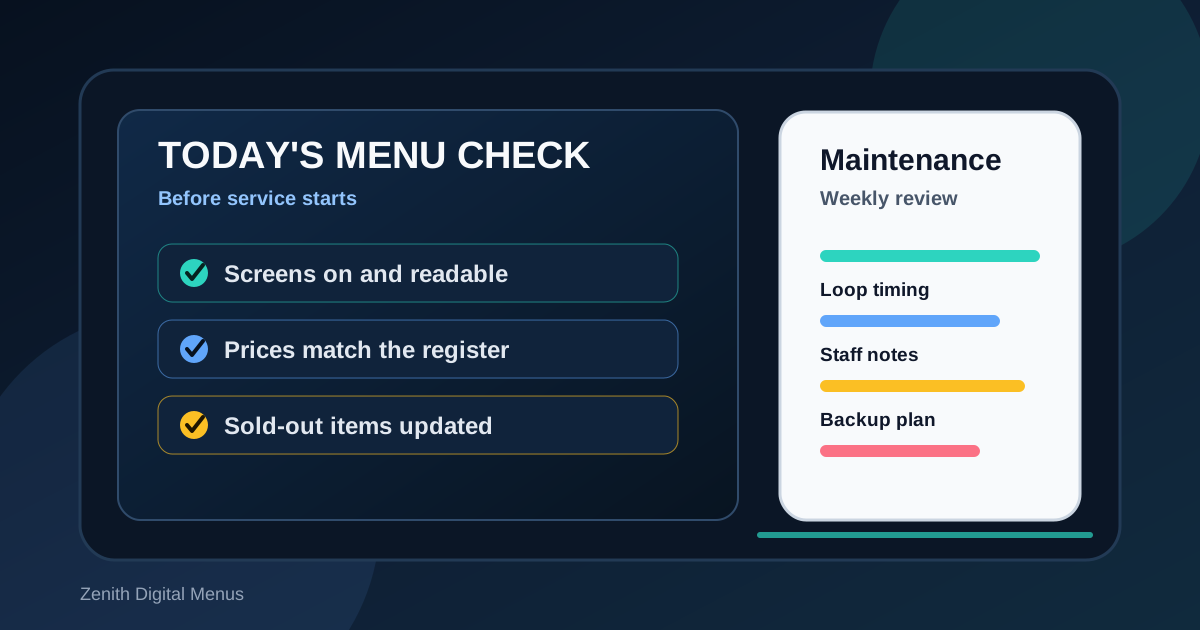
A digital menu board is not a set it and forget it project. The first design may look sharp on launch day, but the board has to survive daily service, price changes, sold-out items, seasonal specials, staff turnover, glare, network hiccups, and the occasional rushed edit. A strong maintenance routine keeps the menu useful after the excitement of installation has passed.
Maintenance does not need to be complicated. Most restaurants need a short daily check, a deeper weekly review, and a clear owner for menu changes. The goal is to catch problems before guests do. When the board is accurate, readable, and aligned with the register, staff answer fewer avoidable questions and guests order with more confidence.
Use this checklist as a practical operating rhythm for counter service restaurants, cafes, pizza shops, bars, food trucks, drive-thrus, and any business using digital boards or connected QR menus.
Start every day with a visible screen check
The fastest maintenance habit is also the easiest to skip. Before opening, someone should stand where customers stand and confirm that every screen is on, bright enough, showing the correct content, and readable from the real ordering position. This is not the same as glancing at the screen while walking by. The check should happen from the customer side of the counter or lane.
Look for blank screens, frozen slides, wrong daypart menus, cropped edges, low brightness, odd colors, and content that is hidden behind glare. If the menu rotates, watch the full loop at least once. A single broken slide can create confusion all morning if nobody waits long enough to see it.
- Confirm each screen is on and displaying the expected layout.
- Read category labels, item names, and prices from the guest position.
- Check that breakfast, lunch, dinner, happy hour, and late night content matches the current daypart.
- Make sure sold-out or limited items are not still being promoted.
Match menu prices to the register
Price mismatches are one of the most damaging digital menu problems because they affect trust immediately. A guest may forgive a slightly dated photo, but a different price at checkout feels unfair. Every price update should be checked against the POS, online ordering page, delivery menus, printed inserts, and staff notes where applicable.
Create a simple price change rule: no price goes live on the screen until the register path has been tested. For combo meals, test the base price and the most common upgrades. For drinks, check size changes. For pizza, bowls, sandwiches, and protein upgrades, confirm whether the menu is showing a starting price, a full price, or an add-on price. Label that clearly so guests are not surprised.
Review sold-out items and substitutions before peak service
Digital menus make it easier to remove unavailable items, but only if the update process is fast and clear. If staff have to explain that the promoted special is sold out for three hours, the board is creating extra work. A good maintenance routine includes a quick inventory conversation before lunch and dinner rush.
Ask what is low, what is out, what can be substituted, and what should be featured instead. If an item is likely to sell out, prepare a replacement message in advance. The best sold-out updates are calm and helpful: remove the unavailable item, point guests toward a similar choice, and make sure staff know the suggested alternative.
Keep the content loop short enough to use
Rotating menus can show specials, photos, events, catering, loyalty offers, and seasonal messages. That flexibility is useful, but long loops can make guests wait for basic information. If the main menu disappears for too long, people may ask staff to repeat what the screen should have answered.
Watch the loop with a timer. How long does it take for a guest to see the lunch menu again? How long are prices visible? Are promos interrupting core ordering information? A healthy loop keeps the main menu available most of the time and uses promotional slides carefully. If guests usually decide in under a minute, do not bury required ordering details inside a two minute rotation.
Check readability after lighting changes
A board that reads well at 9 a.m. may wash out at noon when sunlight hits the front windows. The same board may feel too bright during dinner in a dim dining room. Maintenance should include real lighting checks, especially for restaurants with windows, patio doors, glossy tile, or outdoor drive-thru displays.
Do a quick read test after the room changes. Can a guest compare prices without stepping closer? Are light backgrounds reflecting too much glare? Are dark photos hiding text? If the board struggles at a certain time of day, adjust the layout, increase contrast, simplify the background, or schedule a different version for that daypart.
Listen for repeated staff questions
Staff feedback is one of the best maintenance tools because cashiers, servers, and managers hear confusion first. If guests keep asking whether a side is included, whether a drink can be upgraded, or what comes on a sandwich, the board needs a clearer answer. Repeated questions should not be treated as random customer behavior. They are clues about the menu design.
Keep a small running list near the manager station or in a shared note. At the end of the week, review the top questions and decide which ones deserve a menu change. Some fixes are tiny: a better category name, a clearer modifier note, a price moved closer to the item, or a short label such as "includes side" or "upgrade drink for 1.50." The best menu boards improve because staff observations turn into layout changes.
Protect the brand template from rushed edits
Restaurants move fast, and urgent edits happen. The risk is that every last-minute special becomes a one-off design with different fonts, colors, spacing, and photo treatment. Over time, the menu starts to look patched together. More importantly, guests stop understanding the visual system.
Use a protected template for common updates: new special, price change, sold-out notice, seasonal drink, combo feature, event message, and catering reminder. Each template should define type sizes, colors, image areas, and where the price belongs. Rushed edits are less risky when the design rules are already decided.
Have a backup plan for screen or connection issues
Even well-maintained systems can have issues. A restaurant should know what happens if a screen does not turn on, a content update does not publish, or the internet is down. The backup plan does not need to be fancy, but it needs to be known before service starts.
Keep a current static menu file available, know who can restart the display, and make sure managers have the contact path for support. If the restaurant uses QR menus, keep the QR destination checked and accessible. If the digital board is the only guest-facing menu, consider a clean printed fallback for emergencies. The point is not to expect failure. The point is to avoid panic when something needs attention during a rush.
Run a weekly accuracy review
Once a week, do a deeper review than the daily opening check. Compare the menu board against the POS, website, QR menu, delivery platforms, catering sheets, and upcoming promotions. Confirm dates for limited-time offers, remove expired seasonal language, review photos, check spelling, and make sure all dayparts still match operations.
This weekly review is also the right time to prune clutter. If an offer is no longer important, remove it. If too many items are highlighted, choose the few that matter most. If a photo is not helping guests decide, replace it with clearer information. A maintained menu is not just accurate. It is easier to scan because old messages do not pile up.
Assign ownership and keep the checklist small
The best maintenance checklist is the one a real team will actually use. Assign a primary owner and a backup owner. Keep the daily version short enough to finish in five minutes. Save the deeper items for weekly review. If every check requires a manager meeting, it will fade. If the process is simple, it becomes part of opening and closing like lights, music, and prep counts.
A restaurant digital menu board should feel alive, accurate, and dependable. That does not happen by accident. Daily screen checks, price verification, sold-out updates, loop timing, readability reviews, staff feedback, protected templates, and a backup plan keep the board useful long after launch. When maintenance is routine, the menu becomes a steady part of service instead of another thing the team has to worry about.
Need a cleaner menu board workflow?
Zenith Digital Menus designs, installs, and updates restaurant digital menu boards with practical maintenance routines built in. Contact us to plan screens that stay accurate during real service.