Restaurant Seasonal Menu Rollout Plan: Launch Specials Without Confusion
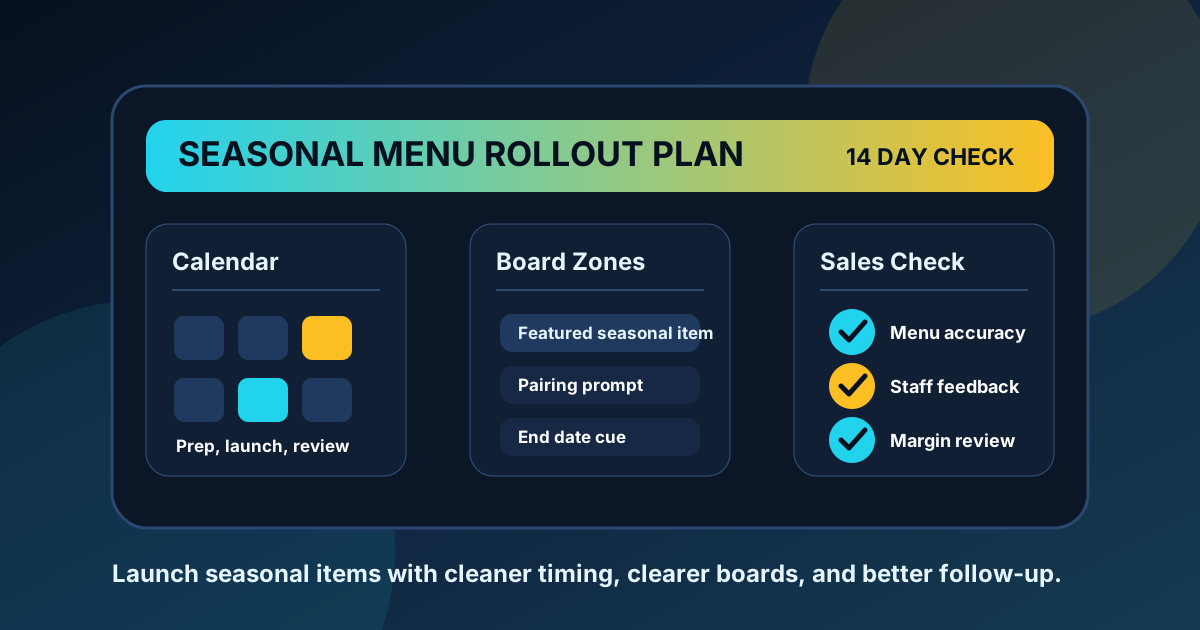
A seasonal item should feel exciting to guests, not stressful for the team. The problem is that many seasonal menu launches are handled like a quick design swap. Someone adds the pumpkin latte, summer salad, holiday shake, or game day combo to the board, posts it near the register, and hopes the staff can answer questions. That works when traffic is slow. It falls apart when the line is full, the item has modifiers, the price is different in the POS, or the kitchen runs short on one ingredient.
A better rollout gives the seasonal item a clear job before it appears on the screen. Is it meant to raise check average, move a high-margin ingredient, bring attention to a new daypart, or create a reason for regulars to come back this month? Once the goal is clear, the menu board, QR menu, printed support pieces, staff notes, and review process can all support the same outcome.
Use this plan when launching a limited time offer, rotating drink, holiday bundle, seasonal dessert, chef special, or local ingredient feature. It works for counter service, dine-in, cafes, pizza shops, food trucks, and quick service restaurants that rely on fast decisions.
Start two weeks before the launch
The best seasonal menu updates begin before the design file is touched. Two weeks out, confirm the item name, short description, price, modifier choices, allergen notes, prep limits, and exact start and end dates. If the item will appear in the POS, QR menu, delivery menu, printed table card, and digital menu board, write the approved version once and use it everywhere.
This simple step prevents the most common launch problems. A guest should not see one price on the menu board and another at checkout. Staff should not have to guess whether the seasonal drink can be made dairy free. The kitchen should know what happens when the featured ingredient runs out at 7 p.m. on a busy Friday.
- Confirm the final item name and keep it short enough for the board.
- Write one description that explains flavor, portion, or use case in plain language.
- Check the target margin after packaging, premium toppings, and labor are included.
- Decide whether the item replaces an existing item or gets added as a temporary feature.
- Set a review date so the offer can be adjusted instead of ignored.
Give the seasonal item one strong menu board position
A seasonal feature does not need to take over every screen. In fact, making it too large can hurt the rest of the menu if guests still need to find their usual orders. Choose one strong position based on the offer's purpose. If the item is a traffic driver, place it near the first scan area with a clear label such as Limited Time or Summer Special. If it is an add-on, place it near the related category so the prompt feels helpful. If it is a combo upgrade, place it close to the base item and show the price difference clearly.
A good seasonal zone includes three pieces of information: what it is, why it is worth trying, and how to order it. That might be as simple as a product name, one flavor cue, and a price. Avoid long descriptions that require guests to stop and read. The menu board should create interest quickly, while staff and QR details can answer deeper questions.
Use QR menus for details, not as a hiding place
QR menus are useful for nutrition notes, ingredient details, optional modifiers, and pairing suggestions, but they should not carry information that guests need before ordering. If the seasonal item is only visible after scanning, many guests will miss it. Put the core offer on the main board and use the QR menu as a support layer.
The QR version should match the board exactly for name and price. It can add helpful details such as spice level, caffeine, gluten notes, preparation time, or a suggested pairing. If your restaurant uses table tents or receipt prompts, point those materials to the same QR page so every path leads to the same information.
Prepare staff with a short launch note
Staff do not need a long training document for every seasonal update. They need the few answers guests are most likely to ask during service. Create a one-page note or pre-shift message with the item name, price, included ingredients, common modifications, upsell pairing, and what to say if the item sells out.
The most useful staff note includes a sample recommendation. For example: If guests order the grilled chicken bowl, suggest adding the summer peach tea as the seasonal pairing. This keeps the upsell natural because it connects the feature to a real order pattern. It also helps new staff feel confident instead of sounding pushy.
Check the launch across every sales channel
Before opening on launch day, walk through the customer path. Stand where guests stand and read the board from the actual ordering distance. Scan the QR code with a phone. Ring a test order in the POS. Check delivery or online ordering if the item appears there. Ask one staff member who was not involved in the update to explain the offer back to you.
This check catches small issues before they become service problems. Look for price mismatch, unclear size language, missing modifiers, crowded board placement, photo glare, low contrast, and expired items that should have been removed. If the seasonal feature rotates by daypart, confirm the timing before the rush starts.
Review performance after the first few shifts
A seasonal rollout should not be judged only by whether people bought the item. Look at how it affected the whole menu. Did it raise average ticket? Did it slow the line? Did staff need to explain it too often? Did it steal sales from a better-margin item? Did guests ask for a size, sauce, or pairing that was not listed?
After three to five shifts, make one focused adjustment. Move the feature closer to the related category, shorten the name, clarify the price, add a pairing prompt, or remove a weak photo. Digital menu boards make these changes easier, but the goal is still discipline. Change one thing, watch what happens, then decide whether the seasonal item deserves more space, less space, or a different message.
A simple seasonal rollout checklist
- Define the goal of the seasonal item.
- Approve the item name, description, price, dates, and modifier rules.
- Place the item in one clear menu board zone.
- Match the board, QR menu, POS, and online ordering language.
- Give staff a short launch note with a natural pairing suggestion.
- Run a test order before service.
- Review sales, questions, and speed after the first few shifts.
Seasonal menus work best when they feel fresh to guests and predictable to the team. A clear rollout plan protects accuracy, keeps the line moving, and gives each limited time offer a fair chance to succeed. The restaurants that get the most from seasonal updates are not always the ones with the flashiest graphics. They are the ones that make the offer easy to notice, easy to understand, and easy to order.
Need a cleaner seasonal menu rollout?
Zenith Digital Menus designs and updates restaurant menu boards so specials, pricing, QR menus, and daypart changes stay clear across service.
Plan Your Menu Update