Restaurant Menu Board Service Speed Audit: Find What Slows the Line
A menu board can look polished and still slow down service. The real test is not whether the screen looks attractive from a design desk. The real test is whether guests can stand in the ordering position, understand the choices, compare prices, and make a confident decision before they reach the cashier. If they hesitate, ask the same questions every few minutes, or change their order after hearing the total, the menu board is costing time.
A service speed audit helps restaurants find those friction points without guessing. It is especially useful for counter service restaurants, cafes, pizza shops, dessert shops, food trucks, and quick service operations where every unclear category or missing modifier can stretch the line. The goal is not to rush guests. The goal is to remove avoidable confusion so guests can order at a natural pace and staff can focus on hospitality instead of translating the menu.
Use this audit during a normal rush, not only when the dining room is quiet. A quiet test shows whether the menu is readable. A busy test shows whether the menu supports real ordering behavior when guests are under light pressure, staff are moving quickly, and the next person in line is already looking up at the board.
Start by timing the decision point
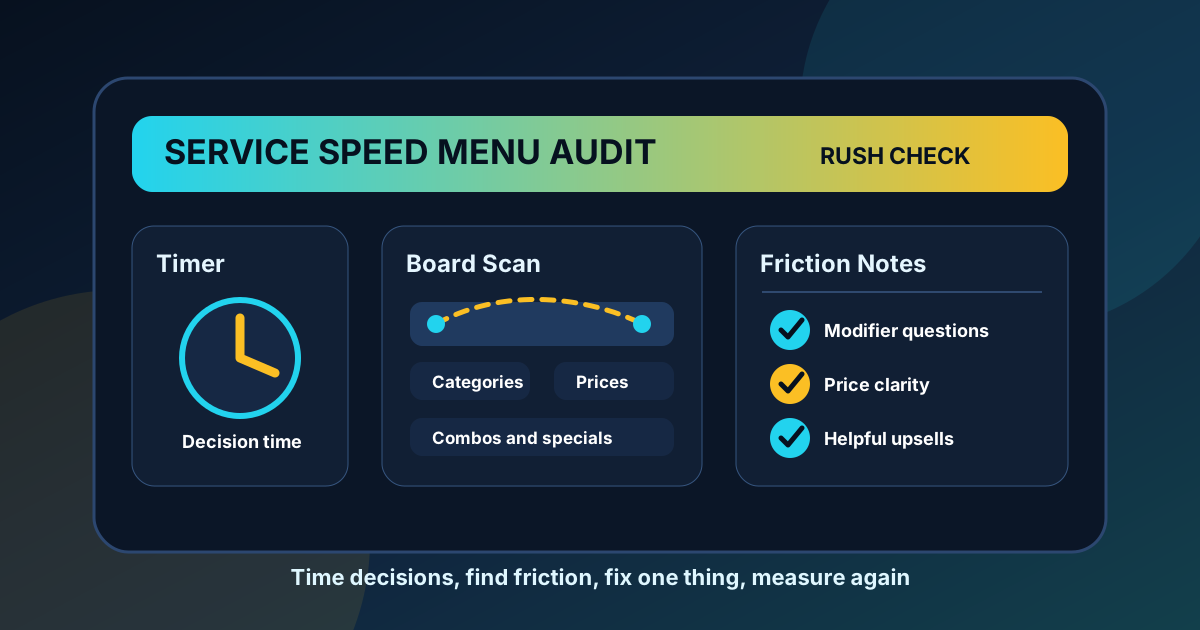
Pick one or two peak periods and watch the ordering line for 20 to 30 minutes. You do not need complicated equipment. A phone timer and a simple note sheet are enough. Start timing when a guest reaches the point where the menu board is clearly visible. Stop timing when they begin placing the order. Track only general patterns, not personal details.
If many guests decide quickly, the board is probably doing its job. If guests regularly freeze near the register, ask staff to repeat categories, or step aside to keep reading, the board needs attention. Separate first-time guests from regulars when possible. Regulars may know what they want before reading anything. New guests reveal whether the menu itself is clear.
- Record common questions guests ask before ordering.
- Note categories that require extra explanation.
- Watch where guests look first, then where they seem to get stuck.
- Track whether people notice specials, combos, and add-ons.
- Mark any order changes that happen after the price is spoken aloud.
Check whether categories match how guests think
Restaurant teams often organize menus around the kitchen, while guests organize decisions around appetite, budget, and speed. A kitchen might think in terms of proteins, prep stations, or sauce families. Guests usually think in simpler terms: burgers, bowls, slices, drinks, family meals, quick lunch, or something sweet. If category names require explanation, they are probably slowing the line.
Look for category labels that are clever but vague. A playful label can work if the meaning is obvious, but it should not make guests decode the menu during a rush. A good category label tells guests what belongs there immediately. It also helps staff answer questions faster because they can point to the right zone instead of walking through the whole board verbally.
Make price comparison easy
Price confusion is one of the fastest ways to slow ordering. Guests should not have to hunt for the base price, wonder whether a side is included, or guess the difference between regular and large. If prices are separated from item names, hidden in small type, or inconsistent across categories, guests pause to calculate. That pause may seem small, but it repeats all day.
Run a simple price clarity check. Stand at the real ordering distance and choose three items from different categories. Can you find the price in two seconds? Can you tell what is included? Can you see the upgrade cost for a combo, premium topping, extra protein, or larger size? If not, the design may be asking guests to do too much work.
For digital menu boards, keep related prices in predictable positions. If combo upgrades are always on the right, keep them on the right. If size prices are listed in columns, use the same order every time. Consistency builds speed because guests learn how to scan the board after the first category.
Audit modifiers before they reach the cashier
Modifiers are a common hidden source of delay. Guests may know they want a bowl, pizza, drink, or sandwich, but still need to ask about sauces, spice levels, milk options, toppings, sizes, or side choices. Not every modifier belongs on the main board, but the most common decision points should be visible before the guest starts speaking.
Review the top five questions staff answer every shift. If the same modifier question comes up repeatedly, add a short cue near the related item. That cue might be "choose mild or spicy," "includes one side," "oat milk available," or "add avocado." Keep it short. The board should reduce questions, not become a policy document.
Look for upsells that interrupt instead of help
Upsells work best when they match the order a guest is already considering. A drink pairing next to lunch combos, a dessert prompt near family meals, or a premium topping cue beside a best seller can raise average ticket without slowing service. Random upsells do the opposite. They make guests look away from their decision and process another offer at the wrong moment.
During the audit, watch whether guests actually notice the upsell zones. If no one sees them, the placement may be weak. If people see them but ask confused questions, the wording may be vague. If staff have to explain the value every time, simplify the offer. A strong upsell prompt should answer three things quickly: what is added, what it costs, and why it fits the order.
Test the board from the guest's sightline
Many menu boards are reviewed from too close. Stand where guests stand. If there are multiple ordering positions, check each one. Look for glare, blocked sightlines, small type, low contrast, and zones that sit too high or too far to the side. A beautiful board that cannot be read from the line is not a service tool.
Drive-thru and dine-in boards need slightly different checks. For drive-thru, guests need larger type, fewer words, and faster category recognition because they are reading from a vehicle and may feel pressure from the lane. For dine-in or counter service, the board can support more browsing, but it still needs a clear path from category to item to price.
Turn the audit into one useful change
The worst response to an audit is changing everything at once. If you adjust categories, prices, photos, specials, and upsells at the same time, you will not know what helped. Pick one high-impact friction point and fix it first. Move a popular category higher. Clarify combo pricing. Add a modifier cue. Shorten a special description. Remove a low-value photo that is taking space from decision-making information.
After the change, repeat the same observation during a similar shift. Compare decision time, staff questions, order changes, and upsell awareness. The improvement does not have to be dramatic to matter. Saving a few seconds per order can make a rush feel smoother, reduce stress at the counter, and give staff more room to be friendly.
A simple service speed audit checklist
- Watch a real rush for 20 to 30 minutes.
- Time how long guests take to decide once the board is visible.
- List the most common questions staff answer.
- Check category labels for plain language.
- Confirm prices, sizes, combo upgrades, and included sides are easy to compare.
- Add short cues for common modifiers.
- Review upsell prompts for relevance and placement.
- Test readability from the actual guest sightline.
- Make one focused change and measure again.
A faster menu board is not just a faster screen. It is a clearer conversation between the restaurant and the guest. When the board answers the obvious questions before they reach the cashier, ordering feels easier, staff repeat themselves less, and the line moves with less friction. That is the kind of design improvement guests may not consciously notice, but they feel it in the experience.
Need a clearer menu board before the next rush?
Zenith Digital Menus designs restaurant menu boards that make categories, prices, modifiers, specials, and upsells easier to understand during real service.
Improve Your Menu Board